Guide
How to create a Claude skill, from SKILL.md to sharing
To create a Claude skill, make a folder named after the skill with a SKILL.md file inside. The file starts with a name and a description, then the instructions Claude follows. Write the description with the words a request would use, because Claude reads only that before it loads the skill. Test it on real tasks, then share it or package it as a plugin.
weekly-report/SKILL.md
---
name: weekly-report
description: Use when someone asks for
the weekly marketing report.
---
# Weekly report
1. Read the ads export
2. Compare with last week
3. Write 5 lines for the board
- scripts/
- references/
- assets/
Key points
- A skill needs one file: SKILL.md, with a name and a description at the top.
- Names use lowercase letters, numbers and hyphens, up to 64 characters.
- The description can run to 1,024 characters and decides when the skill loads.
- Keep SKILL.md under 500 lines and move long material to reference files.
- skill-creator drafts and tests a skill with you in the Claude app, Cowork or Claude Code.
- Never put API keys or passwords in a skill.
What goes in a Claude skill
A Claude skill is a folder named after the skill. The only required file is SKILL.md, which holds a short header and the instructions. Three optional folders can sit next to it: references for longer background, assets for templates and data files, and scripts for code Claude runs. SKILL.md tells Claude when to open each one.
What Claude reads, and when
Updated November 2026levercrew
Claude reads about 100 tokens of a skill until a task needs it
The name and description load for every skill. The full instructions load only when a request matches.
Files in references, assets and scripts load only when a step calls for them.
A skill pays off when Claude does a task for you again and again and you want it done the same way. Good first skills are a report format, a review checklist or a process with several steps. For a one-off task, describe it in the chat. For live data from another app, use a connector.
SKILL.md: required. The name, the description and the instructions.references/: background Claude reads only when a step asks for it.assets/: templates, images and lookup tables Claude copies or fills in.scripts/: code Claude runs, for work a program does more reliably than text.
How to write the SKILL.md frontmatter
The frontmatter is the block between two --- lines at the top of SKILL.md. It needs two fields. name is the skill’s ID: lowercase letters, numbers and hyphens, up to 64 characters, and the same as the folder name. description says what the skill does and when to use it, in up to 1,024 characters. Claude reads it to decide when to load the skill.
Description length
Updated November 2026levercrew
Keep the description under 1,024 characters, the main use first
Characters in the description
0 characters Allowed by the Agent Skills format 1,536 characters
Claude Code counts the description and when_to_use together and cuts the text at 1,536 characters in its skill list.
An upload to the Claude app accepts six fields only: name, description, license, compatibility, metadata and allowed-tools. Any other field makes the upload fail. Claude Code accepts more, such as disable-model-invocation, which stops Claude from running the skill by itself. Keep those extra fields for skills you use only in Claude Code.
- Good name:
brand-guidelines. Not allowed:Brand-Guidelines,-brandorbrand--guidelines. - Good description: what the skill does, then when to use it, with the words a request would use.
- Weak description: “Helps with PDFs.” Claude cannot tell when to load it.
How to write a description that triggers
A description triggers when it names the task and the words people type when they ask for it. Start with what the skill does, then write “Use when” and the requests, file types or tool names that should start it. The description is the only part Claude reads before it decides, so a vague line means the skill never loads.
Put the main use first. With many skills installed, Claude Code shortens or drops descriptions to fit its list, starting with the skills you use least, and Codex shortens descriptions too. If a skill loads for the wrong tasks, make its description narrower.
- Before: “Helps with PDFs.”
- After: “Extracts text and tables from PDF files, fills PDF forms and merges PDFs. Use when working with PDF documents or when the user mentions PDFs, forms or document extraction.”
- Test: ask for the task in your own words and check that Claude picks the skill.
How to write the instructions in SKILL.md
After the frontmatter, write the instructions as plain Markdown. Give the steps in order, an example input with the output you expect, any template or format rules, and the edge cases to handle. Keep the file under 500 lines. Claude reads the whole body each time the skill loads, so every line should change what Claude does.
Keep one skill to one job. Several small skills combine better than one large one, and Claude can use more than one in a conversation. Start with instructions only, and add a script when a step needs exact, repeatable results.
- Steps in order, written as commands: “Read the brief. List the three main claims.”
- One example input and the output you want back.
- The format: headings, length, tone and file type.
- Edge cases: what Claude does when data is missing.
When to add references, assets and scripts
Add a reference file when the skill needs long background only some of the time, such as a style guide. Add an asset for a template Claude fills in or a table it looks values up in. Add a script for work a program does more reliably than text, such as checking colour contrast or filling a PDF form. Name each file in SKILL.md at the step that uses it.
Point to a script with ${CLAUDE_SKILL_DIR}/scripts/check.py, so the path works wherever the skill is installed. In the Claude app, the whole folder is copied into the code sandbox, so also keep the path readable from SKILL.md, such as scripts/check.py. In Claude Code, each script run asks for your permission.
How to build a skill with skill-creator
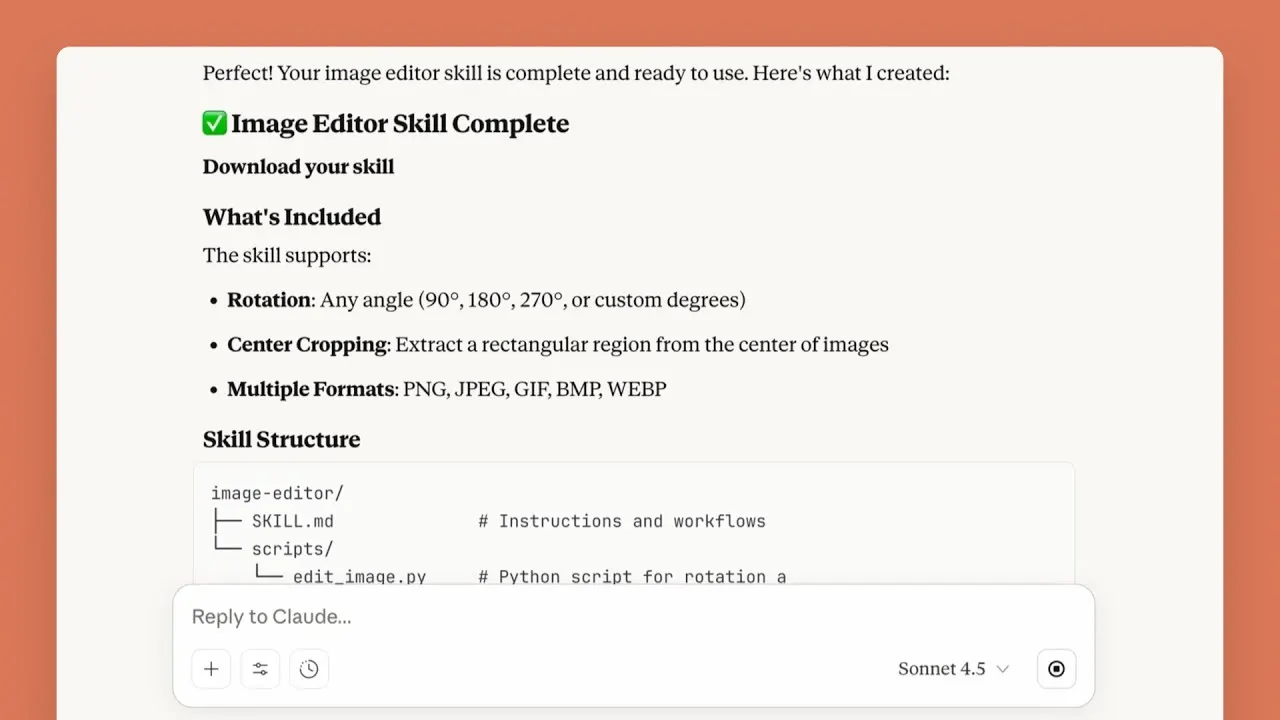
skill-creator is a skill from Anthropic that writes and tests other skills with you. Claude asks about your workflow, creates the folder, formats SKILL.md and adds the files you need. In the Claude app, turn it on in Customize > Skills, where it is listed as from Anthropic. In Claude Code, install it with /plugin install skill-creator@claude-plugins-official.
In the chat, skill-creator runs your test prompts one at a time and shows the results. In Cowork and Claude Code, it also runs the same prompts without the skill and reports pass rates, time and tokens, so you see whether the skill helps. More on the skill-creator skill.
Other apps have their own creator: skill-creator in ChatGPT, $skill-creator in Codex and /create-skill in Cursor.
How to test a Claude skill
Test a skill in three rounds. First check the files: the folder name matches name, the description says when to use it, and every file SKILL.md mentions exists. Then ask for the task in your own words and see whether Claude loads it. Last, compare answers with and without the skill, because loading tells you Claude found it, not that it helps.
Test loop
Updated November 2026levercrew
Test the trigger first, then whether the answers get better
One round of testing
- Check the files Name, description, paths
- Try trigger prompts Does Claude load it?
- Compare with and without Same prompts, fresh session
- Edit the description Or the instructions
After each change
Use a fresh session for each test run. Context left over from writing the skill can hide gaps in the written instructions.
- Check the header with
skills-ref validate ./my-skill, orclaude plugin validatefor a plugin. - Copy the folder to
~/.claude/skills/and startclaude, or upload the ZIP and turn it on. - Send prompts that should trigger it, or call it with
/my-skill. - Run the same prompts without the skill and compare the answers.
- Edit the description when Claude misses the skill or loads it for the wrong task.
How to share a skill with your team
On Team and Enterprise plans, open the skill in Customize > Skills and use Share for chosen colleagues or Publish to org for everyone. Shared skills are view-only for others, and they get your changes the next time they use it. In Claude Code, commit the skill to the repository’s .claude/skills folder. To ship several skills, or a skill with its connector, package them as a plugin.
Keep the instructions and scripts plain enough for a colleague to review before turning the skill on. Never put API keys or passwords in a skill, because everyone you share it with gets its files. When a script needs an outside service, use a connector, so each person signs in with their own account.
How a skill differs from a plugin: skills vs MCP and plugins.
Questions
Frequently asked questions
Do I need to code to create a Claude skill?
No. A skill can be written instructions only, in one Markdown file. Scripts are optional and only for steps that need exact results. skill-creator can draft the whole folder with you in the chat.
What is the difference between name and description?
name is the skill’s ID and the command you type. description tells Claude when to use the skill. Claude reads the description to decide whether to load the skill, so it carries the trigger words.
How long should a SKILL.md file be?
Under 500 lines. Move long material to files in references/ and point to them from the step that needs them. The Agent Skills format advises a body under 5,000 tokens.
Why does Claude not use my skill?
Usually the description lacks the words in your request. Add the task names and phrases people use, put the main use first and test again. You can also call the skill by name: type / in the Claude app, or /skill-name in Claude Code.
Can one skill work in Claude and ChatGPT?
Yes, if it keeps to the shared fields. Skills follow the open Agent Skills format, which ChatGPT, Codex and Cursor also read. Fields and features only Claude Code has do not work elsewhere. Install steps per app: how to install skills.
Can I turn a Claude Code command into a skill?
Yes. Move .claude/commands/deploy.md to .claude/skills/deploy/SKILL.md and you still type /deploy. As a skill, it can also carry scripts and reference files.
Sources (8)
We set it up with your team
Book a free 30-minute call. We install the skills you need, write your own and train your team to use them.
Book a discovery call