An AI chatbot for your website answers visitors from your own pages and documents, collects contact details when someone wants a quote, and passes the conversation to a person when it cannot help. Since 2 August 2026, the EU AI Act requires that visitors are told they are talking to AI, unless it is obvious. Test it on 50 real questions before it goes live.
Key takeaways
- Answers: a website chatbot answers from your own pages, files and FAQ, with a link to the page it used.
- Handover: it passes the chat to a person when it cannot answer, when the visitor asks, and when a buyer wants a quote.
- AI Act: Article 50(1) applies since 2 August 2026. Visitors are told they are talking to AI, at the latest at the first interaction.
- GDPR: the chat window links a privacy notice that says who you are, why you collect data, how long you keep it and who receives it.
- Testing: run 50 real questions from your inbox before launch, and check each answer against the page it cites.
- Bottom line: start narrow, with your service pages as the only source, clear handover rules and a weekly review of transcripts.
AI chatbot for a website: what it answers
An AI chatbot on a B2B or service website answers the questions buyers ask before they contact you: what you do, where you work, how long a job takes, what a quote needs and who to talk to. A good one answers only from your own pages and documents, and links the page it used.
That makes it different from the older chatbots with fixed buttons and scripts. The AI reads your content and writes an answer in the visitor’s own words and language. The risk changes too. A fixed script cannot invent an answer, but an AI model can, when the content it reads has gaps.
This guide is for the owner, sales lead or marketing lead of a small or mid-size company in logistics, manufacturing, SaaS, consulting or professional services. If you run an online store and want an agent for orders, returns and product questions, read our guide to AI agents for online stores instead.
Typical questions on a B2B site are about coverage, lead times, documents, certificates, minimum orders, how to ask for a quote and how to reach a person. Most of them already have an answer somewhere on the site. The chatbot’s job is to find that answer in seconds, and to know when a person should answer instead.
Build options for a website chatbot
You can add an AI chatbot to a website in three ways: the chat add-on of your website builder, a chatbot platform that connects to your content and CRM, or a custom agent built with a model provider’s tools. They differ in where the answers come from, how the handover works and how much of it you control.
A website builder add-on is the fastest start. Wix Smart Chat, for example, lets AI answer common questions from your site content, and you can switch to replying yourself. A chatbot platform, such as HubSpot’s customer agent or Intercom’s Fin, answers from the content you connect, passes chats to your team and has testing tools. A custom agent, built for example with OpenAI’s ChatKit and the Agents SDK, can read any source you connect and follow your own rules, but someone has to build and maintain it.
Choose by the job. If the chatbot only answers questions on a small site, the add-on is often enough. If it must create a contact in the CRM, send leads to the right salesperson or answer from a help centre, a platform fits. If it must check data in your own systems, such as a shipment status or stock in an ERP, you need a custom agent.
| Option | Example | Answers from | Handover and leads | Fits when |
|---|---|---|---|---|
| Website builder add-on | Wix Smart Chat | Your site content and the answers you train | You reply in the same chat | A small site with common questions |
| Chatbot platform | HubSpot customer agent, Intercom Fin | Synced pages, files and help articles | Handover rules to an inbox or a person, contacts in the CRM | Leads go to a sales team and a CRM |
| Custom agent | OpenAI ChatKit with the Agents SDK | Any source you connect, your own systems included | Built to your own rules | Answers need live data from your systems |
Content the chatbot answers from
The chatbot repeats what your pages say. Before you turn it on, check that your service pages, coverage areas, lead times, documents and FAQ are current and agree with each other. If two pages give two different lead times, the chatbot will quote one of them, and a buyer can expect you to keep it.
Platforms let you choose the sources. HubSpot’s customer agent can sync knowledge base articles, website pages, landing pages, blogs, uploaded files or URLs. Give it the pages that answer buyers’ questions, and exclude old news, job ads and anything you would not say to a customer today.
Clean text helps. When we rebuilt the website of RNJ Transport, a road freight company in Lithuania, we gave every page a Markdown copy and added an llms.txt file for AI search. A chatbot reads the same kind of clean text. Keep one file with your facts, such as services, countries, contact details and certificates, so every page and every answer says the same thing.
Decide what the chatbot never answers from the pages alone: the price of a specific job, delivery promises, legal or customs advice, and anything that changes every week. For these, the right answer is a handover to a person.
Lead capture and handover to a person
A website chatbot passes the conversation to a person in three cases: it cannot answer, the visitor asks for a person, or the visitor shows buying intent, such as a request for a quote. HubSpot’s customer agent passes the chat to a person by default in the first two cases, and also when the agent is paused.
Handover to a person
Updated November 2026levercrew
A person answers when the chatbot cannot, or when a buyer asks
The path of one website conversation, from the first question to a reply from your team.
One conversation
- Visitor asks In their own words
- Answer from your pages With a link to the page
- No answer or quote request
- Contact details Next to the privacy notice
- Person replies Same working day
HubSpot’s default: the agent passes the chat to a person when it cannot answer or the visitor asks for one.
Ask for contact details only when the visitor wants something that needs them: a quote, a call or a document. Ask for the minimum, such as name, company, email and the question. Show a link to the privacy notice next to the form, and tell the visitor who will reply and when.
Handover can be live or later. HubSpot offers a live handover to the next available person, a later follow-up by a person, or no handover. A live handover works only when someone is online, so for most small teams the better rule is a later reply with a clear promise, such as a reply on the same working day.
Send the lead and the chat transcript to your CRM or inbox, so the salesperson does not ask the same questions again. Record the page and the first question with each lead, so you can count which pages bring leads.
EU AI Act Article 50(1) for website chatbots
Since 2 August 2026, Article 50(1) of the EU AI Act requires that people who interact with an AI system are told they are talking to AI, unless that is obvious to a reasonably well-informed, observant and careful person. Article 50(5) adds that the information must be clear and distinguishable, and given at the latest at the first interaction.
EU AI Act, Article 50
Updated November 2026levercrew
Tell visitors they are talking to AI when the chat opens
Article 50(5): clear and distinguishable, at the latest at the first interaction.
The chat window, top to bottom
Seen when the chat opens
Applies since 2 August 2026. A summary, not legal advice. Check your own case with your lawyer.
The duty sits with the provider: the company that develops an AI system, or has one developed, and puts it into service under its own name or trademark. A company that only uses an AI system under its authority is a deployer. Which one you are depends on how the chatbot is built, so read the Article 3 definitions with your lawyer. Our guide to choosing an AI development company covers the provider question for a chatbot you commission.
In practice, the notice appears on your website either way, so make it part of the chat window you approve. A clear notice is short and visible: a label such as AI assistant in the chat header, and a first message that says the visitor is talking to AI and can ask for a person at any time.
The information must also meet the accessibility requirements that apply, so write it as real text that a screen reader can read, not only as an icon. Other paragraphs of Article 50 cover AI-made images, audio, video and deep fakes. This is a summary of the law, not legal advice.
GDPR notice for a website chatbot
A chat transcript with a name, an email or a company detail is personal data, so the GDPR applies. Link a short privacy notice from the chat window. It says who you are, why you collect the data, the legal basis, how long you keep it, who receives it and what rights the visitor has.
The European Commission lists what people must be told when you collect their data: your name and the contact details of your data protection officer if you have one, the purposes, the categories of data, the legal basis, how long you store it, who receives it and whether it leaves the EU. It also lists their rights, the right to complain to a data protection authority, the right to withdraw consent, and any automated decision-making. The text must be concise, transparent and in clear and plain language.
A chatbot platform stores and processes the transcripts for you, so it acts as your processor. The Commission says a processor acts only on behalf of the controller, and its duties must be set in a contract that says what happens to the data when the contract ends. Sign that contract with the platform, and check where it stores transcripts and for how long.
| Item | Example for a website chatbot |
|---|---|
| Who you are | Company name, address and the email for data questions |
| Why you collect data | To answer your question and, if you ask for one, to prepare a quote |
| Legal basis | The basis for each purpose, as your data protection adviser confirms it |
| How long you keep it | The period you chose for transcripts and for leads |
| Who receives it | Your sales team and the chatbot provider, named in the notice |
| Transfers outside the EU | Whether the provider stores or reads the data outside the EU |
| Your rights | Access, correction, deletion and a complaint to the data protection authority |
Testing chatbot answers before going live
Test the chatbot on real questions before visitors see it. Collect 50 questions from your sales inbox, contact form and calls, run them through the chatbot and check each answer: it is correct, it comes from the right page, it links that page, and it passes the chat to a person when it should.
Test plan before launch
Updated November 2026levercrew
Fifty real questions come first, the full launch comes in week 4
Our test plan for a website chatbot, from the first question list to every page.
Day 1 to week 4
- Day 1 Collect 50 real questions
- Day 3 First test run
- Day 5 Fix pages, test again
- Day 10 Live on one page
- Week 4 Live on every page
Every answer cites a page. Prices, dates and promises that are not on a page go to a person.
You are responsible for what your chatbot says. In Moffatt v. Air Canada (2024 BCCRT 149), a Canadian tribunal held an airline responsible for a wrong answer its website chatbot gave about a bereavement fare. The tribunal wrote that it makes no difference whether the information comes from a static page or a chatbot. Canadian law does not bind a company in the EU, but the reasoning is easy to follow.
Platforms have tools for this. Intercom’s batch test for Fin can generate up to 50 questions from recent conversations, shows the answer to each and lets you rate it good, acceptable or poor before customers see it. HubSpot asks you to confirm that its customer agent uses the right sources, that its actions work and that handover rules send chats to the right inbox or person.
Use simple pass rules. Every answer cites a page. Every price, date or promise that is not on a page goes to a person. Every request for a quote ends in a contact form or a handover. When an answer is wrong because a page is unclear, fix the page. Our schedule: on day 1, collect the 50 questions. On day 3, run the first test. On day 5, fix the pages and test again. On day 10, go live on one page. In week 4, go live on every page if the weekly review finds no wrong answers.
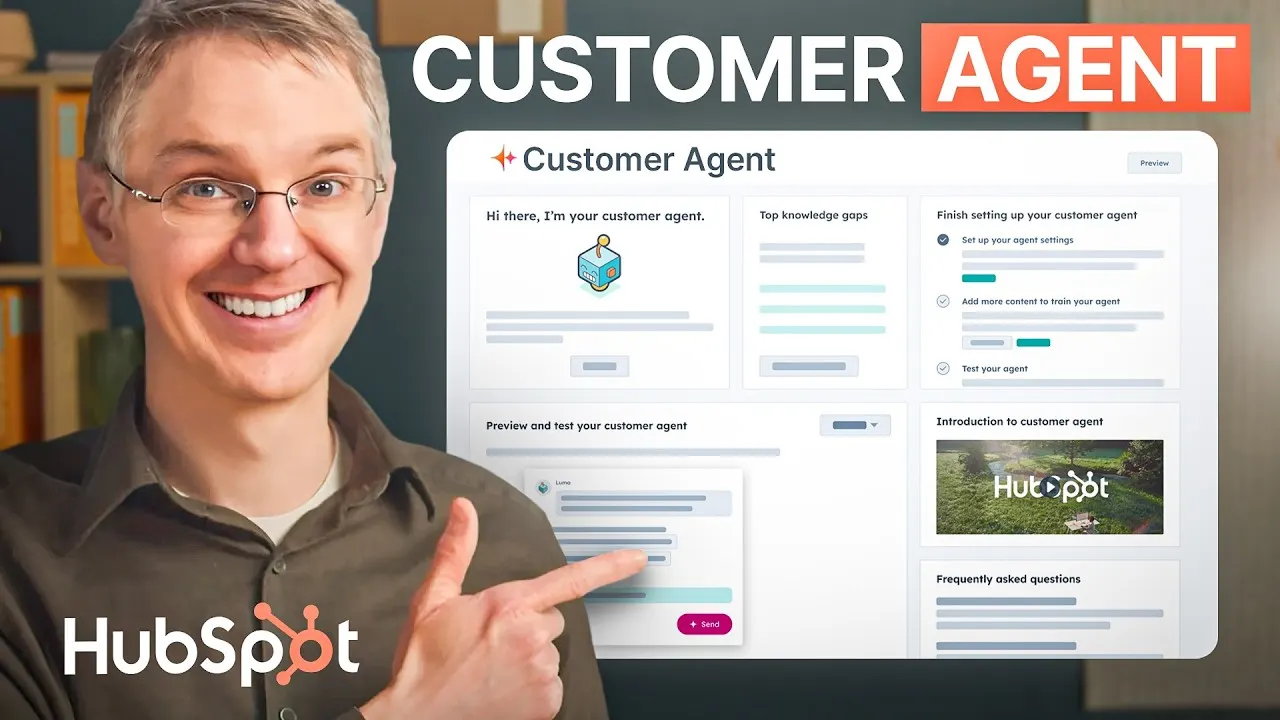
HubSpot Academy’s video shows the same steps on its customer agent: sources, handover to the team, testing and assignment to a chat.
Measuring a website chatbot and the first project
Measure four numbers from the first week: questions answered with a source link, handovers to a person, leads with contact details, and wrong answers found in the weekly review. Leads and wrong answers matter most. A chatbot that answers many questions and sends no leads works as a help page.
Compare the leads with the months before the chatbot, from the same pages. Read 20 transcripts every week, add the new questions to the test set and fix the pages behind them. The questions buyers ask in the chat are also a list of what your website does not answer yet.
A first project with LeverCrew starts on the free 30-minute discovery call. We review the questions your sales team answers every week, check which pages already answer them and choose the build option with you. Our AI workflows and agents service builds the chatbot or agent in your own accounts, and you approve the answers and the handover rules before it goes live. Most projects go live in 10 working days.
If your pages are old or disagree with each other, fix the source first. A website and brand revamp rebuilds the pages the chatbot reads, in the languages your buyers speak.
Common questions
Do I have to tell visitors that my website chatbot is AI?
Yes, in the EU. Since 2 August 2026, Article 50(1) of the AI Act requires that people are told they are interacting with an AI system, unless that is obvious. The information must be clear and given at the latest at the first interaction. A label in the chat header and a first message do this.
Can an AI chatbot answer only from my website?
Yes. Chatbot platforms let you choose the sources: HubSpot’s customer agent syncs website pages, knowledge base articles, files and URLs. Add an instruction to pass the chat to a person when the pages have no answer, and test it with questions your site does not cover.
Can a website chatbot collect leads under the GDPR?
Yes, with a privacy notice linked from the chat, only the fields you need and a legal basis for each purpose. The chatbot provider processes the data for you, so sign a processor contract with it. Check your notice with your data protection adviser.
Who is responsible when a chatbot gives a wrong answer?
The company that runs it. In Moffatt v. Air Canada (2024), a Canadian tribunal held an airline responsible for its chatbot’s wrong answer and said it makes no difference whether information comes from a static page or a chatbot. Test before launch and read transcripts every week.
Is a chatbot platform or a custom AI agent better?
Choose by the data the answers need. A platform fits when answers come from your pages and leads go to a CRM. A custom agent fits when answers need live data from your own systems, such as a shipment status. You can start with a platform and add a custom agent later.
How long does it take to launch a website chatbot?
Our test plan takes four weeks: 50 questions on day 1, tests on days 3 and 5, one page live on day 10 and every page in week 4. With LeverCrew, most projects go live in 10 working days, and you approve the answers before visitors see them.
Sources and checks (13)
- European Commission, AI Act Service Desk: Article 50, transparency obligations
- European Commission, AI Act Service Desk: Article 113, entry into force and application
- European Commission, AI Act Service Desk: Article 3, definitions (provider, deployer)
- European Commission, AI Act Service Desk: implementation timeline (checked November 2026)
- Regulation (EU) 2024/1689, the AI Act, Official Journal text (EUR-Lex)
- European Commission: what information must be given to individuals whose data is collected
- European Commission: what is a data controller or a data processor
- HubSpot Knowledge Base: customer agent, sources and testing (updated September 2026)
- HubSpot Knowledge Base: customer agent handoff process (updated October 2026)
- Intercom Help: batch test Fin AI Agent
- Wix Help Center: Wix Smart Chat overview (updated October 2026)
- OpenAI API docs: ChatKit
- Civil Resolution Tribunal: Moffatt v. Air Canada, 2024 BCCRT 149 (14 February 2024)