A video editing agent is an AI agent that edits your footage from a written instruction. It cuts silences, adds captions, places b-roll and reframes for vertical screens, and it changes the project files itself. Give each agent one job. Let scripts check length, loudness, resolution and safe zones. A person approves the script, the first cut and the final file.
Key takeaways
- Definition: a video editing agent takes a goal in plain words, plans the steps, edits the project and checks its own result.
- Types: AI editors with a built-in agent, such as Descript’s Underlord and Premiere’s AI Assistant, and coding agents such as Claude Code with FFmpeg and Whisper.
- Team model: one job per agent (cut, b-roll, reframe, captions, checks), several agents in parallel and one status board.
- Approvals: a person approves the script, the first cut, the final file and anything with a real face or voice.
- Checks: scripts measure length, loudness, resolution and caption position; a person judges whether the story makes sense.
- Bottom line: write the instruction once, give each agent one job, and never publish a file that no person has watched.
Video editing agents and one-click AI features
A video editing agent, sometimes called an agentic video editor, is an AI agent that runs the edit itself. You give it a goal in plain words, such as “cut the pauses and add captions”. It plans the steps, uses editing tools on your project files and checks the result. A one-click AI feature does one action when you press it, and you choose every step.
Feature or agent
Updated November 2026levercrew
A feature does one action; an agent plans and checks the steps
One-click AI feature
- One action when you press it
- You choose every step
- You check every result
- Example: automatic captions
Video editing agent
- A goal written in plain words
- It plans the steps itself
- It edits the project files
- It checks its own result
This guide covers agents that edit footage you already have: interviews, talking-head clips, screen recordings, webinars and product demos. Four jobs repeat in almost every short video: cut silences and mistakes, place b-roll (extra clips) over the speaker, reframe for vertical screens and add captions. New clips from generative video models are a different job, outside this guide.
Research splits the work in the same way. EditDuet, an Adobe Research system shown at SIGGRAPH 2025, uses two agents. An Editor agent builds a sequence from clips and a written instruction, with common editing tools. A Critic agent gives written feedback, or renders the sequence when it is good enough.
For the steps of one Instagram Reel, read how to edit reels with AI. This guide is about how a team runs many videos.
AI video editor types: built-in agents and coding agents
There are two types of video editing agent today. An AI editor with a built-in agent works inside one editing app, on that app’s project. A coding agent, such as Claude Code, works on the files in a folder and runs video tools such as FFmpeg. Both change the project themselves. They differ in where the work lives and how easily a team repeats it.
Descript calls Underlord its AI co-editor. Its help page says Underlord can edit video, add captions and translate content, with example prompts such as “add zoom cuts every 3 to 6 seconds”. Descript says it can read your script, watch your video and decide what to do next. Underlord is in beta (checked November 2026).
Adobe released AI Assistant in Premiere as a public beta on 18 June 2026. It sorts assets into bins, renames clips in batches, finds interview questions and assembles a starting point. Every action goes into Premiere’s undo history, and the result is an editable sequence. During the beta, Adobe recommends duplicate projects instead of client work.
Claude Code is Anthropic’s agentic coding tool. It reads and edits files, runs commands and connects to other tools. For video, it runs FFmpeg, which decodes, encodes, filters and converts almost any audio and video format, and Whisper, OpenAI’s open speech recognition model. It can also read frames saved as images. Code-based effects, such as animated titles, have their own guide: video editing with Claude.
| Type | Examples (checked November 2026) | What it edits | Fits |
|---|---|---|---|
| AI editor with a built-in agent | Descript Underlord (beta), Premiere AI Assistant (public beta) | The project inside that app | Teams that already edit in that app |
| Coding agent with video tools | Claude Code with FFmpeg and Whisper | Files in a project folder: footage, transcripts, cut lists and renders | Teams that make many videos with the same rules |
| One-click AI feature | Automatic captions, filler word removal, Premiere Auto Reframe | One step, when you press it | One fix on one video |
One job per video agent: cut, b-roll, reframe and captions
Give each agent one job, one input and one output. A cut agent removes silences and repeated takes. A b-roll agent places your own clips over the speaker. A reframe agent makes the vertical and square versions. A captions agent adds captions to each version. A checks agent measures every file. One job per agent keeps each instruction short and each mistake easy to find.
Claude Code supports this with subagents. Each one runs in its own context window, with its own instructions, tools and permissions. You save them as Markdown files in a .claude/agents folder, so the whole team uses the same agents. A checks agent, for example, never needs permission to edit.
The order matters. The cut comes first, because every other job depends on it. B-roll goes on the approved cut, the reframe agent makes each format, and captions come last, so they sit in a safe place on each screen.
| Agent | Input | Output | Tools |
|---|---|---|---|
| Cut | Raw footage and its transcript | A cut list without silences and repeated takes | FFmpeg silencedetect, Whisper |
| B-roll | The cut and a list of your own clips with a description of each | B-roll over the speaker, with timings | FFmpeg, the clip list |
| Reframe | The cut with b-roll, in 16:9 | 9:16 and 4:5 versions with the speaker in frame | FFmpeg, frames the agent reads |
| Captions | The transcript of the cut and each version | A caption file and a captioned render per format | Whisper, FFmpeg |
| Checks | Every rendered file | A pass or fail report per file | ffprobe, FFmpeg ebur128, frame review |
Several video agents in parallel with one status board
Run agents in parallel when you make many videos at once, and follow them on one board. Each row is one video or one agent run, with its status and the next person who must act. A marketing team or agency that makes short videos for several products or accounts gains the most, because the same five agents run for every account.
A week of short videos
Updated November 2026levercrew
Agents edit every day; a person approves on three days
Monday to Friday
Agents run A person approves
Monday scripts, Wednesday first cuts, Friday final files.
Claude Code has this board built in. Agent view, opened with the command claude agents, shows all background sessions on one screen. Each row has a status: working, needs input, idle, completed, failed or stopped. Needs input means the agent waits for an answer or a permission from you. Agent view is a research preview (checked November 2026).
A lead agent can split the work. Anthropic’s overview says a lead agent coordinates the work, assigns subtasks and merges the results. For video, it sends each new recording to the cut agent, and each approved cut to the other agents.
A week can look like this. Agents work every day, and a person approves scripts on Monday, first cuts on Wednesday and final files on Friday. Next to the board, keep a sheet with one row per video: account, format, stage, next approver and date. We build these AI workflows in your own accounts for teams that want the pipeline ready to run.
Instructions for a video editing agent
Write the instruction once and save it where every agent reads it. It names the goal, the viewer, the length and formats, the style rules, what the agent must never cut and the checks that must pass. A good instruction lets a new colleague, or a new agent, make the same video without asking you anything.
In Claude Code, the project file CLAUDE.md holds the rules that every session reads at the start. Skills package a repeatable workflow, such as “make the three formats of an approved cut”, so the team runs it with one command. Hooks run a shell command before or after an agent action, so a check can run every time a render finishes.
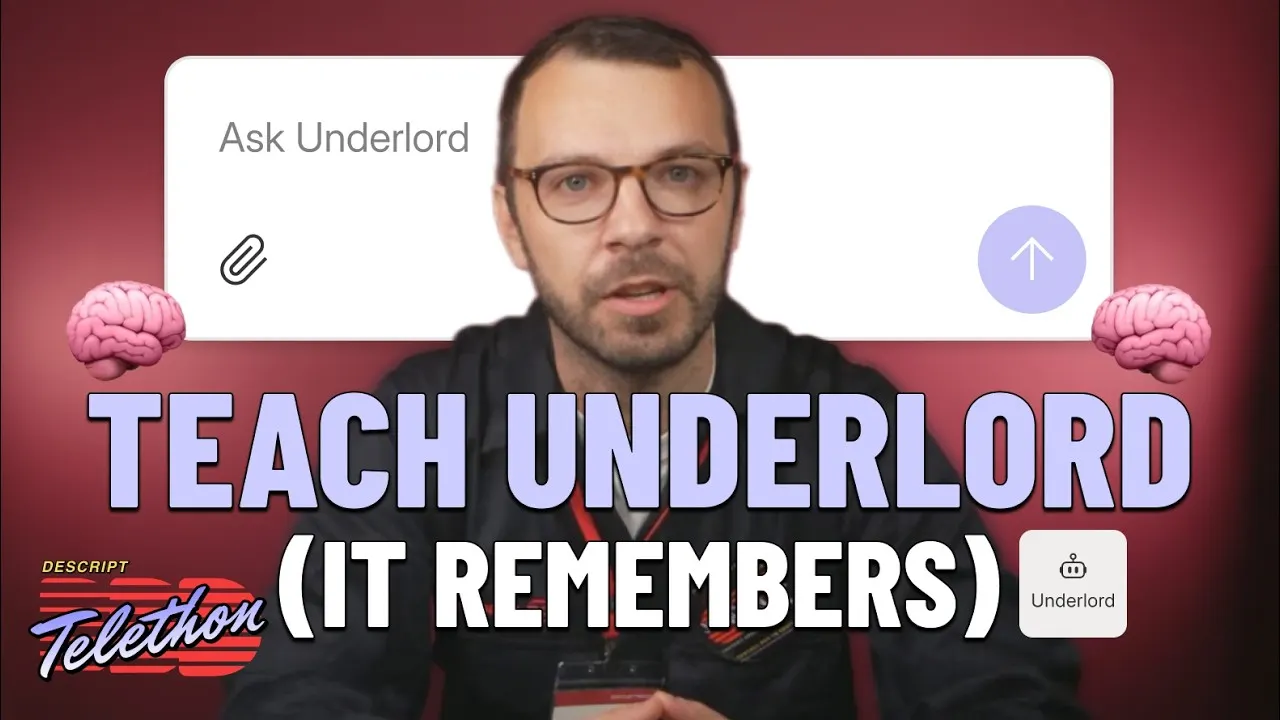
AI editors use the same idea. In the video below, Descript shows Custom Instructions for Underlord. Descript makes a LinkedIn clip from a first cut by giving feedback in chat: square format, big captions, brand colours, a caption font and transitions at each cut. Underlord saves those preferences and applies them in a new project.
- The goal and the viewer, in one sentence each.
- Length, formats and sizes, such as 9:16 at 1080x1920.
- Style rules: caption font and size, brand colours and music level.
- What the agent never cuts: claims, product names and legal lines.
- The checks that must pass and the person who approves each stage.
Approvals in AI video editing
A person approves four things: the script before any edit, the first cut before the versions multiply the work, the final file before it goes live, and anything with a real face or voice. Agents do the edits between those points. A cut that fails review returns to the agent with a written reason it can act on.
Where a person approves
Updated November 2026levercrew
Agents edit only between the points where a person approves
One video, start to finish
- Person approves script Before any edit
- Agents cut the footage Silences, takes and b-roll
- Person approves first cut Before the versions
- Agents make the versions Formats, captions and checks
- Person approves final file Before it goes live
Faces and voices: anything with a real face or voice also needs written consent from that person.
Both agent types support approval steps. In its default mode, Claude Code asks before most file edits and shell commands. In plan mode, it reads files and proposes a plan, but makes no edits until you approve. In Premiere’s AI Assistant, an Undo button reverts all changes from the last request.
The first cut is the cheapest place to stop. For CreatorFlow, the SaaS company one of our founders runs, we planned 100 product page videos. We made 8, and on 31 October 2026 we stopped the other 92. Twelve more CreatorFlow video projects started from 4 to 6 November 2026, and one of them was rejected. A batch plan stays a plan until a person has watched the first pieces.
Faces and voices need extra care. Since 2 August 2026, Article 50(4) of the EU AI Act asks you to disclose AI image, audio or video that is a deep fake: content that resembles real people, objects, places or events and would falsely seem authentic. A cloned voice or a changed face can meet that definition. Get written consent from each person, and check your case with your lawyer.
Quality checks for AI-edited video
Scripts check what a number can describe: length, loudness, resolution, file format and where captions sit. People check what a number cannot describe: whether the story makes sense, whether every claim is true and whether the product looks like the real one. Run the scripted checks first, so a person only watches files that already pass.
FFmpeg covers most machine checks. Its tool ffprobe prints the length, size and format of a file, the ebur128 filter measures loudness to the EBU R128 standard, and the loudnorm filter corrects it. The numbers in the table are our own delivery rules for vertical video. Check each platform’s own specs too.
Before a video ships, a fresh agent reviews it. It reads the rendered frames at 1 frame per second, together with the transcript, and never sees the script. Then it says what the video shows and why it matters. If its description differs from what the script meant, the cut returns to the editing agent. This catches a video that makes sense only to the people who planned it.
| Check | Who checks | Our rule |
|---|---|---|
| Length | Script (ffprobe) | Within the length in the instruction |
| Resolution and format | Script (ffprobe) | 1080 px or more, H.264 that QuickTime opens, fast start for the web |
| Loudness and audio edges | Script (FFmpeg ebur128) | Close to -14 LUFS, with a 15 ms fade on every audio edge |
| Caption position | Script | On 1080x1920, clear of the top 220 px and the bottom 420 px |
| First second of sound | Script | No noise or click before the first word |
| What the video shows | Fresh agent, frames at 1 per second and the transcript | Its description matches the goal in the instruction |
| Story, claims and product | Person | The story makes sense, every claim is true, the product looks real |
Video file handover and rights
At handover, the client gets every file needed to change the video later, and the proof of the right to use it. That means the untouched source footage, the project files, a render per format, the caption files, the instruction files the agents used and the last check report. All of it stays in the client’s own accounts.
Rights decide where a video may run. Each music or stock licence names where you may use the clip, such as organic posts or paid ads, so keep it next to the video. People on camera, and people whose voice you use, give written consent that names the uses.
In our projects, an agent only uses media from the folders the client gives it, never from the web. This guide is not legal advice, so check licences and consent with your lawyer.
- Source footage, untouched, with the date it was recorded.
- Project files and cut lists that an editor can open again.
- One render per format, plus the caption files.
- The instruction files and skills the agents used.
- Licences, consent forms and the last check report.
Video editing agents at LeverCrew
At LeverCrew, agents do the editing work and one of our founders approves every piece. People with industry experience choose the buyer and the angle before anyone cuts the footage. We test every step first in CreatorFlow, our own company.
For CreatorFlow, we made 15 Shorts and 8 product page videos with AI video workflows. From 5 to 15 November 2026, CreatorFlow published 6 Instagram Reels and 26 Stories. For RNJ Transport, a road freight company in Lithuania, we made 20 LinkedIn videos, 10 in English and 10 in Lithuanian, each 1080x1350 and 18 to 26 seconds long.
We make video ads and social videos with AI for companies that sell online or to other businesses. When your team wants to run the agents itself, we build the pipeline in your accounts and train the people who approve.
Common questions
What is a video editing agent?
A video editing agent is an AI agent that edits video from a written instruction. It plans the steps, uses editing tools on your project files and checks the result. Examples are Descript’s Underlord and Premiere’s AI Assistant inside editing apps, and Claude Code running FFmpeg and Whisper on a project folder.
What is the difference between an AI video editor and an AI video agent?
An AI video editor is an editing app with AI features, such as automatic captions, that run one step when you press them. An AI video agent takes a goal, chooses the steps and runs them on the project. Many AI editors now include an agent, such as Descript’s Underlord.
Can Claude Code edit video?
Yes, through video tools. Claude Code runs commands, so it can use FFmpeg to cut, convert and measure video, and Whisper to turn speech into text for captions. It can also read frames saved as images. You need Claude Code, FFmpeg and Whisper on the computer, and a folder with your footage.
Which video editing jobs should a person keep?
A person approves the script, the first cut, the final file and anything with a real face or voice. A person also judges whether the story makes sense, whether every claim is true and whether the product looks like the real one. Scripts measure length, loudness, resolution and caption position.
Do AI-edited videos need an AI label in the EU?
Some do. Since 2 August 2026, AI Act Article 50(4) asks you to disclose AI image, audio or video that is a deep fake: content that resembles real people, places or events and would falsely seem authentic. Removing pauses and adding captions keep what the person said. A cloned voice or a changed face can meet the definition, so check it with your lawyer.
Can several video editing agents run at the same time?
Yes. In Claude Code, each subagent runs in its own context window, and agent view shows all background sessions on one screen with a status for each. Give each agent one job and one output, so two agents never edit the same file.
What does a client get at the end of an AI video project?
The untouched source footage, the project files, one render per format, the caption files, the instruction files the agents used, licences and consent forms, and the last check report. With LeverCrew, everything stays in your own accounts.
Sources and checks (18)
- Anthropic, Claude Code docs: overview (files, commands, parallel agents, CLAUDE.md, skills, hooks)
- Anthropic, Claude Code docs: subagents
- Anthropic, Claude Code docs: agent view, research preview (checked November 2026)
- Anthropic, Claude Code docs: permissions and permission modes
- Anthropic, Claude Code docs: common workflows (images, plan mode)
- FFmpeg: about FFmpeg
- FFmpeg: filters documentation (silencedetect, loudnorm, ebur128)
- FFmpeg: ffprobe documentation
- OpenAI: Whisper on GitHub
- Descript Help: Underlord (beta), your AI co-editor in Descript (checked November 2026)
- Descript: Underlord, the video agent
- Adobe Blog: Adobe brings its creative agent to Creative Cloud apps (18 June 2026)
- Adobe Community: AI Assistant in Premiere is in public beta (23 June 2026, checked November 2026)
- Adobe Learn: Auto Reframe in Premiere for social video
- Adobe Research: EditDuet, a multi-agent system for video non-linear editing (SIGGRAPH 2025)
- European Commission, AI Act Service Desk: Article 50, transparency obligations
- European Commission, AI Act Service Desk: Article 3, definitions (deep fake)
- European Commission, AI Act Service Desk: implementation timeline (checked November 2026)