Claude animation means short motion graphics that Claude writes as code: animated charts, product explainers, title cards and logo reveals. On Team and Enterprise plans, Claude Motion makes them in the chat and exports an MP4. On other paid plans, Claude Code writes the animation with GSAP, SVG or Lottie, and a render step turns it into a video. Every word and number stays editable.
Key takeaways
- Four routes: Claude Motion, a chat artifact, Claude Design for the look, and Claude Code for series and templates.
- Plans: Claude Motion is in beta on Team and Enterprise; Claude Code comes with Pro, Max, Ultra, Team and Enterprise (checked November 2026).
- Code, no video model: Claude moves your text, charts, shapes and images, so you change one number and keep the rest.
- Good jobs: animated charts from your own numbers, product explainers, title cards, logo reveals and LinkedIn animations.
- Brief: name the audience, where it plays, the rough length and one message, and attach the real files.
- Bottom line: start with one chart or explainer from numbers you already publish, and check every number before it goes live.
Claude animation and motion graphics in 2026
Claude animation is motion graphics that Claude makes by writing code: text, charts, shapes and images that move. In November 2026 there are four ways to make one: Claude Motion, a chat artifact, Claude Design for the look, and Claude Code. The routes differ in the plan they need and the file you get.
All four routes work the same way. Claude writes code that a browser or a renderer plays, so you can change any word, number, colour or timing and keep the rest. That suits content you already have: a quarterly chart, the steps of a product, a logo, a headline in five languages.
This guide is for marketing teams at companies that sell to other businesses or online. Editing recorded footage into Reels and Shorts is a different job, with its own guide: how to edit Reels with AI.
| Route | Plans | What you get | Best for |
|---|---|---|---|
| Claude Motion | Team and Enterprise, in beta | An animation from your prompt, edited in the chat or an editor, exported as an MP4 | Animated charts, explainers and walkthroughs from your own content |
| Chat artifact | Free, Pro, Max, Ultra, Team and Enterprise | A single-page website or small tool that plays its motion in the browser | A quick moving draft or a first idea to compare |
| Claude Design | Free, Pro, Max, Ultra, Team and Enterprise | Designs, slides, prototypes and one-pagers, exported as PPTX, PDF or HTML, or handed to Claude Code | The look of the frames: layout, colours and type |
| Claude Code | Pro, Max, Ultra, Team and Enterprise | Animation code with GSAP, SVG or Lottie in your project folder, turned into video by a render step | A series of videos, several languages, one template for many reports |
Claude Motion for animated explainers and charts
Claude Motion is a beta feature that turns your content into a short animation, such as an all-hands explainer, an animated chart for a board deck or a product onboarding walkthrough. Anthropic launched it on 8 October 2026 for Team and Enterprise plans. Claude writes each animation as code, and you export it as an MP4.
Claude Motion, step by step
Updated November 2026levercrew
Claude Motion turns your own content into an editable MP4
One animation in Claude Motion
- Attach the source Report, chart or images
- Claude writes code Text, charts, shapes, images
- You edit it In the chat or editor
- Export the MP4 Or share it in Claude
No video model: Claude Motion makes no generated footage and no AI-generated people.
You can ask for an animation in any chat, or select Output in the message box and choose Motion. You can also open the Artifacts tab and pick a Motion template. Because the animation is code, you can change one word, number or timing and the rest stays the same.
Anthropic says Claude Motion uses no video generation model, so it makes no generated footage and no AI-generated people. Scenes with people or real places come from a camera or a video model, which is a different job with different tools.
Owners turn Claude Motion on or off in Organization settings > Artifacts. Anthropic’s help page says it starts on for Team plans and off for Enterprise plans. Animations count towards your plan’s usage limits, and long or complex ones use more than a typical message. Each animation starts private until you share it.
Claude Design and chat artifacts for animated visuals
Claude Design and chat artifacts give you the look and the first moving drafts. Claude Design makes designs, slides, prototypes and one-pagers on every plan, Free included, and exports PPTX, PDF or HTML. A chat artifact can be a single-page website with motion in it, which plays in the browser. For an MP4, use Claude Motion or Claude Code.
Claude Design starts from the Artifacts tab, where you pick a Design template and describe what you want. It builds with your design system, so the frames keep your colours and type, and it can package a design into a handoff bundle for Claude Code. The standalone version at claude.ai/design closes on 14 December 2026.
Artifacts need cloud code execution and file creation turned on in Settings > Capabilities, or in Organization settings on Team and Enterprise. Use a chat artifact to test an idea, such as three versions of a title card, before you build the real one.
Claude Code for motion graphics: GSAP, SVG and Lottie
Claude Code writes animation as code in a folder on your computer, so it suits a series: ten videos in two languages, or one template for every monthly report. It comes with the Pro, Max, Ultra, Team and Enterprise plans. Three web tools do most of this work: GSAP for motion and timing, SVG for logos and icons, and Lottie for small vector animations.
GSAP is a JavaScript animation library, now supported by Webflow and free for all users, plugins included: SplitText for text, DrawSVG and MorphSVG for shapes, ScrollTrigger for motion on scroll. Its standard licence covers commercial use. It excludes tools that let people build visual animations without code and compete with Webflow, and it says AI-generated code is not a prohibited use.
SVG is the vector format of logos and icons on the web, so a logo reveal starts from your SVG logo file. Lottie is an open JSON format for vector animation, kept by the Lottie Animation Community, a non-profit project hosted by the Linux Foundation. A Lottie file plays on the web, iOS, Android and React Native with a compatible player, so one file can serve the website and the app.
Claude Code reads skills: a SKILL.md file with instructions that Claude uses when the task matches. A project skill lives in .claude/skills in your repository, so the whole team works from the same animation rules: brand colours, fonts, frame size and the render command.
GSAP, SVG and CSS animation play in a browser. To post them on LinkedIn, a render step turns the page into a video file: a script opens the page in a browser, plays it frame by frame and saves an MP4. Claude Code can write and run that script. Check the file before you post it: frame size, length and frame rate.
Remotion and HyperFrames are two frameworks that turn code into video files, and both work with Claude Code. Remotion keeps official skills for Claude Code and is free for individuals and companies of up to 3 employees; bigger companies need a company licence. HyperFrames by HeyGen is open source under Apache 2.0 and has a connector for Claude. We used HyperFrames for the product page videos of CreatorFlow, the SaaS company one of our founders runs. Our guide to video editing with Claude covers both.
Marketing animations you can make with Claude
Claude animation fits marketing jobs where the content already exists as numbers, text or vector files: animated charts, product explainers, title cards, logo reveals, LinkedIn animations and website motion. The table lists each job, the route we would pick and the first thing to check.
For an animated chart, give Claude the data file, not a screenshot of the chart. Claude then reads the real figures, and you can check each one against the file.
LinkedIn’s video ad specs accept 4:5 vertical video up to 1080 x 1350 pixels and recommend videos of 15 to 30 seconds. They accept lengths from 3 seconds to 30 minutes, MP4 files with H.264 or VP8, under 30 frames per second, and captions as SRT files.
On a website, some visitors turn on a reduced motion setting on their device, because large moving objects can cause discomfort for people with vestibular motion disorders. The CSS media feature prefers-reduced-motion tells your page about that setting, so ask Claude to stop or soften the motion for those visitors.
| Animation | Route | Where it plays | First check |
|---|---|---|---|
| Animated chart from your own numbers | Claude Motion, or Claude Code for a monthly series | Board deck, all-hands, LinkedIn post | Every number against the source file |
| Product explainer or onboarding walkthrough | Claude Motion | Help pages, onboarding emails, sales calls | One message, and the steps in the right order |
| Title card or lower third | Claude Code with GSAP | The start of a video, or names on screen | Spelling of names and job titles in each language |
| Logo reveal | Claude Code with SVG and GSAP, or Lottie | Video intros and end cards, website, app | The approved logo file and brand colours |
| LinkedIn animation | Claude Code with GSAP, or Claude Motion | LinkedIn feed and video ads | 4:5 at up to 1080 x 1350, 15 to 30 seconds |
| Website motion | Claude Code with GSAP and CSS | Home page, product pages, landing pages | Motion stops for visitors who ask for reduced motion |
How to brief Claude for an animation
Brief Claude the way you would brief a motion designer: who watches it, where it plays, how long it runs, what it must say and which files it uses. Anthropic’s help page for Claude Motion asks for the audience, the place it will play, a rough length and your source material.
A brief for one animation
Updated November 2026levercrew
An animation brief names the audience, the place and the length
Five lines of the brief
- Audience Who watches it, and what they should know or do after it.
- Where it plays LinkedIn feed, board deck, product page or all-hands.
- Length and size A rough length in seconds and the frame size of that channel.
- Source files The data file, the SVG logo, brand colours and font names.
- One message The one sentence the viewer should keep after watching.
Write one message per animation. A short LinkedIn video has room for one idea and one number, so write down the sentence the viewer should keep. Attach the real files: the spreadsheet behind the chart, the SVG logo, the brand colours as hex codes and the names of your fonts.
Ask for a storyboard before the animation: a list of scenes with the text, the visual and the seconds for each one. A scene list is faster to fix than a finished animation. Then ask for the first version, and change one thing per message, such as a word, a colour or a timing.
In Claude Motion, make small changes in the editor and larger ones in the chat. In Claude Code, keep the brief, the storyboard and the brand rules in the project folder, so the second and the tenth video start from the same rules.
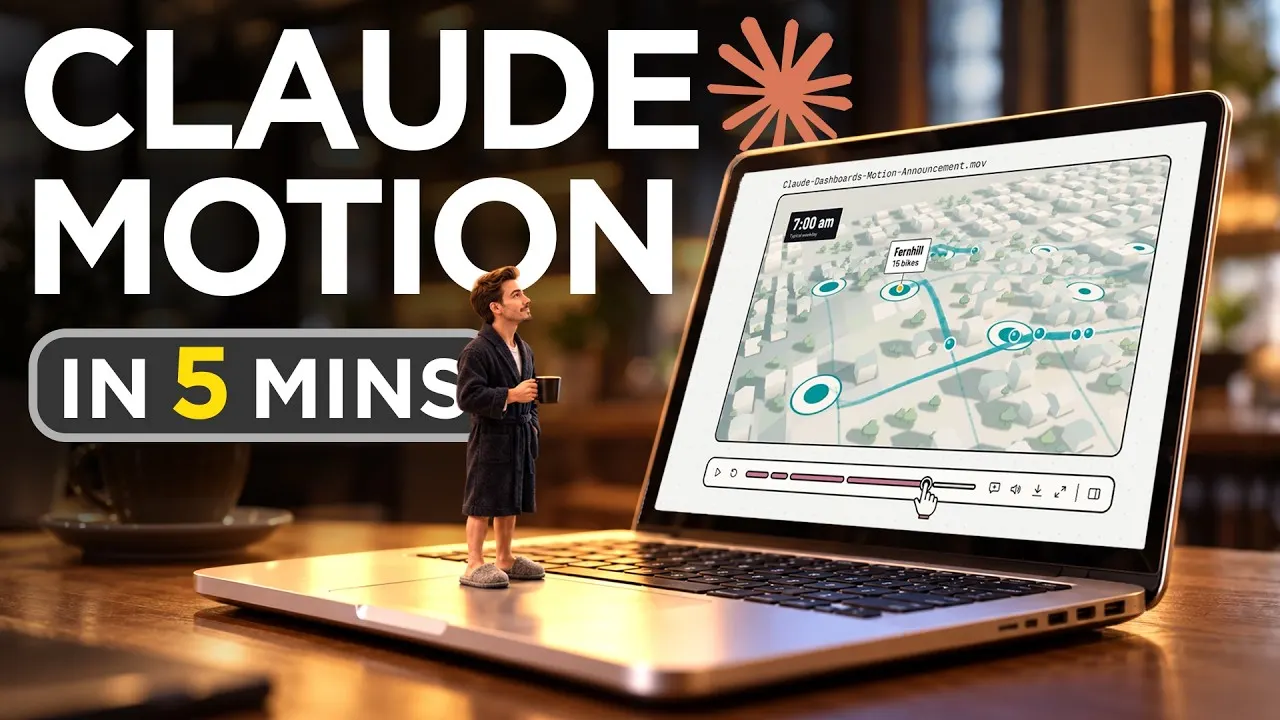
In the video below, The AI Advantage makes a first animation in Claude Motion, then edits its text and timing, adds images and applies brand colours.
Checks before a Claude animation goes live
Check every animation before it goes live, because Claude writes what you asked for, a wrong number included. Check the facts against the source, the words in each language, the brand, the format for the channel and the rights to every image and logo. A person who knows the subject approves it.
Watch the final file at full size and on a phone, with the sound off. The text must carry the message on its own.
- Every number and date matches the source file.
- Names, job titles and product terms are spelled right in each language.
- Colours, fonts and the logo file match your brand rules.
- Frame size, length and frame rate fit the channel.
- Each line of text stays on screen long enough to read on a phone.
- You hold the rights to every image, logo and piece of music.
Claude animation at LeverCrew: RNJ Transport
At LeverCrew, we make animation with Claude Code. For RNJ Transport, a road freight forwarder in Klaipėda, Lithuania, we made 20 LinkedIn videos: 10 in English and 10 in Lithuanian, at 1080 x 1350 pixels and 18 to 26 seconds each. We made the animations with Claude Code, GSAP and Playwright, a tool that drives a browser from a script.
LinkedIn video length
Updated November 2026levercrew
Our LinkedIn animations ran 18 to 26 seconds, inside LinkedIn’s advice
Seconds of video, first minute
0 seconds LinkedIn advice: 15 to 30 60 seconds
Scale: LinkedIn accepts video ads from 3 seconds to 30 minutes. This ruler shows the first minute.
The size and the length follow LinkedIn’s specs: 1080 x 1350 is the largest 4:5 size, and 18 to 26 seconds sits inside its advice of 15 to 30 seconds. Two languages meant the same animation with new text, which is where code helps most: change the words, then render again.
Each video came with its LinkedIn post text in both languages, as the RNJ Transport case study lists. We have no recorded results for these videos, so we claim none.
This is how we make AI content for ads and sales: we define the buyer and the angle first, then make the variants. When your team wants to make animations itself, our AI training for commercial teams covers Claude, Claude Cowork and Claude Code on your own work.
Common questions
What is Claude animation?
Claude animation is motion graphics that Claude makes by writing code: animated charts, explainers, title cards, logo reveals and social media animations. Claude Motion makes them inside the Claude app on Team and Enterprise plans. Claude Code writes them with tools such as GSAP, SVG and Lottie on every plan that includes Claude Code.
Which Claude plan includes Claude Motion?
Claude Motion is in beta on Team and Enterprise plans (checked November 2026). On Pro, Max and Ultra, you can make animation with Claude Code or as a chat artifact. Motion animations count towards your plan’s usage limits.
Can Claude export an animation as an MP4?
Yes. In Claude Motion, you select Export and choose MP4. With Claude Code, a render step turns the animation into a video file on your computer. A chat artifact plays its animation in the browser.
Can Claude Motion make videos with real people?
No. Anthropic says Claude Motion uses no video generation model, so it makes no generated footage and no AI-generated people. It animates the text, charts, shapes and images you give it. Scenes with people come from a camera or a video model, which is a different job.
Can we use GSAP animations in company and client work?
Yes. GSAP is free for all users, plugins included, and its standard licence covers commercial use. The licence excludes tools that let people build visual animations without code and compete with Webflow. GSAP says AI-generated code is not a prohibited use.
How long should a LinkedIn animation be?
LinkedIn recommends video ads of 15 to 30 seconds and accepts 3 seconds to 30 minutes. For a 4:5 vertical video, the largest size is 1080 x 1350 pixels. Our LinkedIn animations for RNJ Transport ran 18 to 26 seconds each.
How do we keep Claude animations on brand?
Give Claude the brand files with every brief: colours as hex codes, font names, the SVG logo and one approved example. In Claude Code, save these rules as a project skill, so every video starts from them. In Claude Design, build with your design system.
Sources and checks (18)
- Claude Help Center: Get started with Claude Motion (updated 8 October 2026, checked November 2026)
- Claude: Build live dashboards and animate explainers with Claude (8 October 2026)
- Claude: Claude Design product page (checked November 2026)
- Claude Help Center: Get started with Claude Design (checked November 2026)
- Anthropic: Introducing Claude Design by Anthropic Labs (17 April 2026)
- Claude Help Center: What are artifacts and how do I use them? (checked November 2026)
- Claude Help Center: Use Claude Code with your Pro, Max, or Ultra plan (checked November 2026)
- Claude Help Center: Use Claude Code with your Team or Enterprise plan (checked November 2026)
- Claude Code docs: Extend Claude with skills
- GSAP: free for all users, with the full plugin list (checked November 2026)
- GSAP: Standard license and its FAQ
- Lottie Animation Community: Lottie, an open format for animated vector graphics
- LinkedIn Help: Video ads advertising specifications (checked November 2026)
- MDN Web Docs: prefers-reduced-motion
- Remotion docs: Agent Skills
- Remotion: LICENSE.md, Free License eligibility (checked November 2026)
- HeyGen: HyperFrames on GitHub (Apache 2.0)
- Claude: HyperFrames by HeyGen connector