An AI agent is software that uses a language model to reach a goal. It plans the next step, uses tools such as your CRM, inbox or the web, checks each result and stops when the task is done or a person must decide. For a business, the safe start is one weekly job, read-only access, a person who approves every action and a log of each step.
Key takeaways
- Definition: an AI agent plans its own steps, uses tools and checks results until the task is done. A workflow follows steps written in advance.
- Difference: a chatbot answers. An agent also acts in your systems, so it needs limits, approval and a log.
- Parts: a model, tools, instructions, memory and guardrails. MCP is the open standard that connects agents to tools and data.
- First job: one that repeats every week and costs little when the agent is wrong, such as a weekly report.
- EU rules: since 2 August 2026, AI Act Article 50(1) asks that people know they talk to an AI. The GDPR covers any personal data the agent reads.
- Bottom line: one job, read-only access and a person who approves each action, with more rights only after a month of correct work.
AI agents for business: definition and the agent loop
An AI agent is software that uses a language model to reach a goal you give it. It plans the next step, uses a tool such as a search, a CRM or an inbox, checks the result and repeats until the task is done. When it is stuck or the next step is risky, a well-built AI agent stops and asks a person.
How an AI agent works
Updated November 2026levercrew
An AI agent plans, acts and checks until the task is done
The model decides the next step. Tools read data or act. A limit and an approval step end the loop.
One task, step by step
- Read the goal From a person or a trigger
- Plan the next step The model decides
- Use a tool Search, CRM or inbox
- Check the result Against the goal
Repeat until done, or stop and ask a person
Stop rule: a maximum number of steps ends the loop when the agent is stuck, and risky actions wait for a person.
Anthropic, the company behind Claude, draws the line most vendors now use. In a workflow, a model and its tools follow paths written in code in advance. In an agent, the model directs its own process and chooses its own tools. Anthropic advises the simplest system that does the job.
OpenAI’s guide to building agents adds a test: an application that uses a language model but does not let it control the steps, such as a simple chatbot, is not an agent. Spain’s data protection agency, the AEPD, defines an AI agent as an AI system that uses language models to meet a goal.
This guide is for owners and sales or marketing leads at small and mid-size companies who want to know what an agent does, what it costs in time and risk, and where to start.
AI agent vs chatbot vs workflow automation
An AI agent, a chatbot and a workflow automation all save work, but they decide in different ways. A chatbot answers a question in a conversation. A workflow automation runs fixed steps each time a trigger fires. An AI agent gets a goal, chooses its own steps and tools, and acts in your systems, so it needs the most control.
Google Cloud gives agents the highest autonomy of the three: they can decide on their own to reach a goal. AI assistants respond to requests and recommend actions, but the user decides. Bots follow pre-programmed rules.
When the steps never change, a fixed workflow is cheaper and easier to check. OpenAI’s guide names three signs that an agent adds value: decisions that need judgment, rules that are hard to maintain, and work that depends on free text such as emails. Many good systems mix both: a workflow collects the numbers, and an agent writes the summary a person reads.
| Question | Chatbot | Workflow automation | AI agent |
|---|---|---|---|
| What starts it | A question from a person | A trigger, such as a form entry | A goal, a schedule or an event |
| Who decides the steps | Nobody: one answer per message | You, in advance | The model, within your limits |
| What it can do | Answer from your content | Move data by fixed rules | Search, read, draft and act in your tools |
| Best for | Common website questions | Tasks that never change | Tasks with free text and judgment |
| Main risk | A wrong answer | A broken step stops the flow | A wrong action in a real system |
| Control it needs | Tested answers, handover to a person | Error alerts | Approval, limits, a log and an owner |
Parts of an AI agent and the Model Context Protocol
Every AI agent has five parts: a language model that reasons, tools that read data or act, instructions that set the job and the rules, memory that keeps context between steps, and guardrails that limit what it may do. In an AI agent, the instructions and the tools decide most of the result.
OpenAI’s guide sorts tools into three kinds. Data tools give context, such as a CRM query. Action tools change things, such as sending an email. Orchestration tools are other agents that the main agent calls.
The Model Context Protocol, or MCP, is the open-source standard that connects AI applications to tools and data. Its documentation compares it to a USB-C port for AI applications: Claude or ChatGPT can reach files, databases or a calendar through one standard. Anthropic donated MCP to the Agentic AI Foundation, under the Linux Foundation, in December 2025.
The MCP specification says hosts must get explicit user consent before they invoke any tool, and that MCP cannot enforce this at the protocol level. Each MCP connection is one more key to your systems, so decide who holds it.
- Model: the language model that plans and decides, such as Claude, GPT or Gemini.
- Tools: read your CRM, files or the web, or send, update and create.
- Instructions: the job, your team’s steps, the tone and what the agent must never do.
- Memory: the current task, plus facts it must keep between tasks.
- Guardrails: limits on tools, steps and data, and the points where a person approves.
Types of AI agents and levels of autonomy
Types of AI agents can be sorted in many ways, but two matter for a business: how the agent starts and how much it may do alone. Some agents work in a conversation with a person. Others run in the background on a schedule or an event. Each type of AI agent sits on a level of autonomy.
Levels of autonomy
Updated November 2026levercrew
An agent earns more rights one level at a time
Each level adds one right. A person decides when the agent moves to the next level.
Rights and the human check
- Level 1: read and report Reads data and writes a summary for a person Read only
- Level 2: draft for approval Prepares emails or changes; a person approves each one Approve each
- Level 3: act within limits Acts on low-risk tasks; a person checks a sample Check a sample
- Level 4: act and report Acts alone and records every action in a log Read the log
Our rule: anything a customer sees stays at level 2 until the agent has been right for a month.
Google Cloud separates interactive agents, which help a person in a conversation such as customer service, from background agents, which automate routine tasks and start on events. It also separates single agents from multi-agent systems, where several agents work on one goal.
OpenAI’s guide advises one agent first, and several only when one agent fails to follow complicated instructions or keeps picking the wrong tool. Autonomy is the type that decides the risk. We raise an agent one level at a time, only after a month of correct work at the level below.
AI agent examples in marketing and sales
AI agent examples in marketing and sales share one shape: messy input, a few decisions and a draft a person can check. Good first examples are prospect research, a weekly report, product data, email replies, content briefs and lead routing. The agent reads and drafts, and a person approves what leaves the company.
Google Cloud groups business agents into six kinds: customer, employee, creative, data, code and security agents. For a commercial team, the first four matter most: they answer customers, handle repetitive staff tasks, draft content and analyse numbers.
Online stores have their own task list in our guide to AI agents for ecommerce, and catalogue work has a step-by-step plan in AI product descriptions and catalogue enrichment.
| Job | What starts the agent | What the agent does | What a person approves |
|---|---|---|---|
| Prospect research | A new lead in the CRM | Reads the company site and news, writes a one-page brief | Whether and how to contact the lead |
| Weekly report | Monday morning | Collects analytics, ads and CRM numbers, writes the summary | What the numbers mean and what to do |
| Product data | A new supplier file | Fills titles, attributes and descriptions | A sample of each batch before import |
| Email replies | A new email in a shared inbox | Sorts it, finds the order, drafts a reply | Every reply before it is sent |
| Content briefs | A new topic in the plan | Collects search questions and top pages, writes the brief | The angle, the facts and the final brief |
| Lead routing | A form entry or a chat | Scores the request by your rules, suggests an owner | The rules, and every lead it is unsure about |
First job for an AI agent: repeat volume and risk
The best first job for an AI agent repeats often and costs little when the agent is wrong. Repeat volume decides the time saved. Risk decides how much checking the job needs. Weekly jobs that end in drafts come first. Jobs that move money, change contracts or speak for you in public come last.
Choosing the first job
Updated November 2026levercrew
Start where jobs repeat often and mistakes cost little
Typical sales and marketing jobs placed by how often they repeat and what a wrong action costs.
Repeat volume and risk
Keep with people
- Contract changes
- Refunds
- Price changes
Draft, then approve
- Email reply drafts
Not worth an agent
Start here
- Product data
- Prospect research
- Content briefs
- Weekly report
Placement is our judgment for a typical small or mid-size company. Your risk depends on your data and your customers.
OpenAI’s guide asks for one of three signs before you build: judgment, rules that are hard to maintain, or free text. If none is true, a fixed workflow is enough. We add a fourth: you can measure the job today, in hours or errors, so you can compare.
Eurostat shows why smaller companies move slowly. In 2025, 19.95% of EU companies with 10 or more employees used AI, 6.47 points more than in 2024: 17% of small companies and 55.03% of large ones, and 20.27% in Spain. Companies that had considered AI but not used it named a lack of expertise (70.89%), unclear legal consequences (52.52%) and data protection (48.83%). A small first job answers all three.
AI agent rules: access, approval, logs and limits
Before an AI agent goes live, write five rules: what it may read, what it may change, when a person approves, what it logs and who owns it. These AI agent rules decide the risk more than the model. An agent with read-only access and an approval step can be wrong without harm, and the log shows what to fix.
OpenAI’s guide names two moments when a person decides: when the agent passes its limits on retries or actions, and before high-risk actions such as cancelling orders, large refunds or payments. Anthropic adds stopping conditions, such as a maximum number of steps, and tests in a sandbox first, because errors add up.
The AEPD warns against making the reviewer the only safeguard. A reviewer needs the authority to change the outcome, the training to judge it, the information behind it and the time to check. For actions with a large impact on people, it suggests the four-eyes principle: two different people check.
- Access: its own account, read-only at first, with only the data the job needs.
- Approval: a person approves every message, change or payment before it leaves.
- Limits: a maximum of steps, tool calls and retries, and a stop when unsure.
- Log: every input, tool call, draft and approval, where the owner can read it.
- Owner: one named person who reads the log every week and can stop the agent.
EU rules for AI agents: AI Act, GDPR and WhatsApp
EU rules for AI agents come from three places. The AI Act asks that people know when they talk to an AI. The GDPR applies whenever the agent reads or writes personal data. Platform terms, such as WhatsApp’s, decide which AI you may offer there. Check all three before an AI agent talks to customers.
AI Act Article 50(1) applies since 2 August 2026. Providers must design AI systems that interact directly with people so that people know they talk to an AI, unless it is obvious. Article 50(5) asks for this clearly, at the first interaction at the latest. If you develop an agent and put it into service under your own name, Article 3 makes you its provider. Our guide to an AI chatbot for your website shows the notice.
GDPR Article 22 gives people the right not to be subject to a decision based solely on automated processing with legal or similarly significant effects. Where such a decision is allowed, people keep a right to human intervention. Keep a person on credit, hiring, contracts and prices for one customer. Article 5 adds data minimisation.
Since 15 January 2026, section 4.7 of the WhatsApp Business terms bars AI providers when general-purpose AI is the primary product they offer, outside countries where the law makes Meta allow it. AI that is ancillary to your own service, such as answers about orders, falls outside the ban, as Meta decides. This section is not legal advice.
| Rule | What it asks | Applies since |
|---|---|---|
| AI Act Article 50(1) and 50(5) | Tell people they talk to an AI, clearly, at the first interaction | 2 August 2026 |
| AI Act Article 4 | Measures for the AI literacy of staff who use AI systems | 2 February 2025 |
| GDPR Article 22 | No solely automated decisions with legal or similar effects, with exceptions | 25 May 2018 |
| GDPR Articles 5 and 28 | Only the data the job needs, and a contract with each processor | 25 May 2018 |
| WhatsApp Business terms, 4.7 | General-purpose AI assistants only where the law makes Meta allow them | 15 January 2026 |
| AEPD guidance on agentic AI | Governance, memory control, traceability and real human supervision (not law) | February 2026 |
AI agent options and costs: buy, no-code or custom code
You get an AI agent in one of three ways: turn on an agent inside a tool you already pay for, build one in a no-code builder, or have a developer write it in code. The cost of an AI agent is mostly time: building and testing, then model usage, hosting, monitoring and the hours of its owner.
Buying is the fastest start when the data already lives in that tool, such as your CRM or help desk. No-code builders connect several tools, and our guide to no-code AI agents compares seven. Custom code fits your own data rules, a special integration or full control of the log.
Plan the cost in five parts: build time, model usage, which grows with every step and every word read and written, hosting, monitoring, and people time for review, which most plans forget. Anthropic warns that agents cost more than simple workflows. OpenAI suggests building with the most capable model first, then testing smaller ones that still meet your accuracy target.
| Option | Fits when | Build time | Running costs | Who maintains it |
|---|---|---|---|---|
| Agent in a tool you have | The job lives in one tool, such as the CRM | Days | That tool’s fees and review time | The vendor and your owner |
| No-code builder | The job crosses 2 to 5 tools with standard connectors | Days to weeks | Builder plan, model usage, review time | Your team or a partner |
| Custom code | You need your own data rules, special integrations or full logs | Weeks | Model usage, hosting, monitoring, developer time | A developer or a partner |
Building an AI agent: a 30‑day plan
To build an AI agent for the first time, give it 30 days and one job. Week 1 writes the routine. Week 2 connects read-only data and tests the agent on past cases. Week 3 runs it on live work, with a person approving every output. Week 4 compares hours and errors with the old way.
First agent in 30 days
Updated November 2026levercrew
One job, four weeks, and a person approves every output
The first 30 days
- Week 1 Write the routine
- Week 2 Read-only data, past cases
- Week 3 Live, a person approves
- Week 4 Compare and decide
Write access comes after this plan, one tool at a time, and only when the drafts needed few changes.
Week 1. Write how the job runs today: input, steps, decisions, output and hours. Turn the steps into numbered instructions, and collect 20 past cases with your team’s answers. Week 2. Give the agent its own read-only account, run the past cases and compare. When it is wrong, fix the instructions or the tool, not the single answer.
Week 3. Run it on live work: a person approves every draft and the log records each step. Week 4. Compare hours and errors with the old way. If the reviewer changed little, keep this level one more month before any write access.
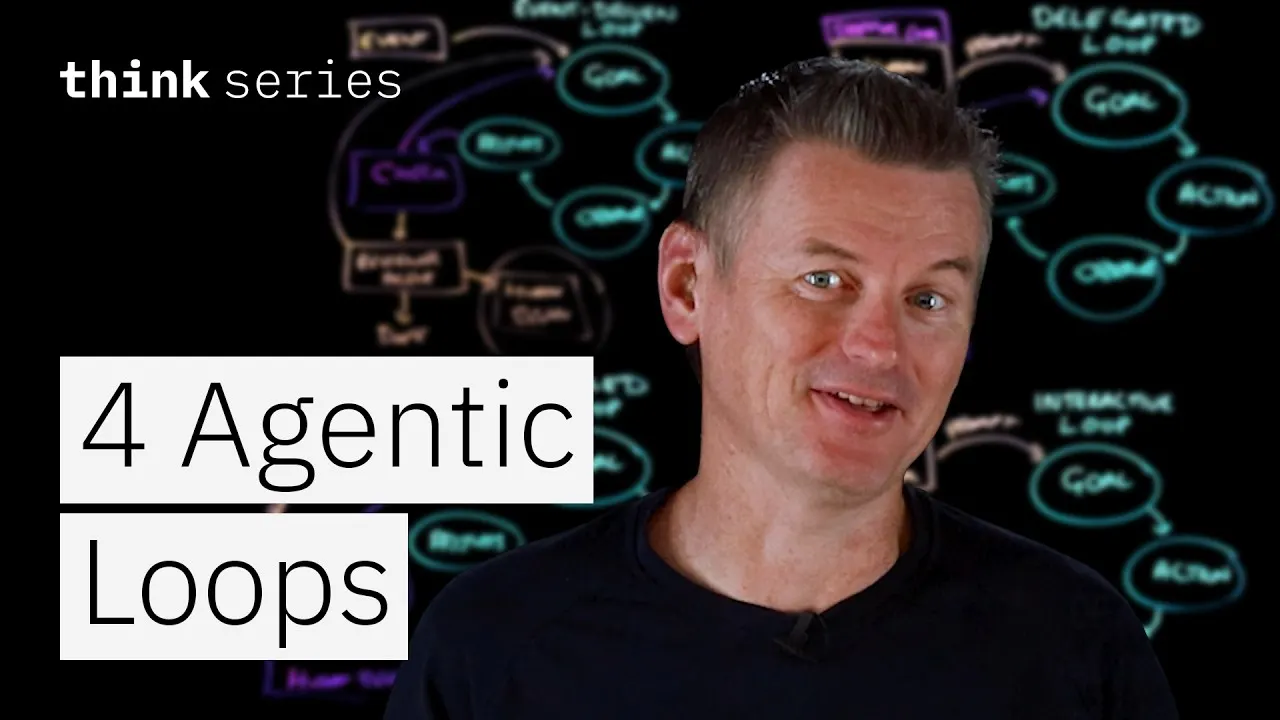
In the video below, IBM explains four kinds of agent loops, from human-led to event-driven, and where stopping conditions and human review sit in each.
AI agents at LeverCrew: our build method
LeverCrew builds AI agents one job at a time, inside the tools a team already uses. Each agent gets one owner on the client’s side, read-only access at the start, an approval step before anything leaves the company, a log of every action, limits on steps and tools, and written documentation with a handover session.
An agent answer with sources
Updated November 2026levercrew
A good agent answer names its sources and waits for approval
Prospect research agent
Brief me on the new lead from the contact form before tomorrow’s call
Sales agent draft
A family-owned wholesaler of hotel supplies, based in Spain.
They ask about product data for a new online catalogue.
Reply drafted. I will not send it without your approval.
- 1 Contact form entry
- 2 Their website, About page
- 3 Your CRM, past emails
Invented example to show the format: every line comes from a named source, and the draft waits for a person.
We start with the job, never the tool. In the discovery call we pick one weekly job, write how it runs today and agree the number we compare: hours, errors or replies. We build on the client’s own accounts, so the data and the agent stay theirs.
Every agent comes with the routine, the instructions, the tools and their access rights, the limits, the approval points and where the log lives, plus a handover session, so it runs without us. This is how our AI workflows and agents service works.
Each agent answer shows where every line comes from, so the reviewer can check it in seconds. The example below is invented to show the format.
Common questions
What is an AI agent in simple terms?
Software that gets a goal, plans the steps, uses tools such as search, email or your CRM, and checks each result until the task is done. A chatbot answers one message at a time. An agent also acts in your systems, so it needs limits, approval and a log.
What is agentic AI?
Agentic AI is the name for AI systems built from agents that plan, use tools and act toward a goal. Anthropic groups fixed workflows and agents as agentic systems. Spain’s AEPD uses the term in its February 2026 guidance on agentic AI.
What are examples of AI agents for business?
Prospect research, a weekly sales or marketing report, product data from supplier files, drafts of email replies, content briefs and lead routing. The agent reads and drafts, and a person approves what leaves the company.
How much does an AI agent cost?
The cost has five parts: build time, model usage, hosting, monitoring and the reviewer’s hours. An agent inside a tool you have costs least to start, and custom code costs most to build. Each vendor’s pricing page gives usage costs.
Do I have to tell customers they are talking to an AI agent?
In the EU, in most cases yes. Since 2 August 2026, AI Act Article 50(1) asks that people know when they interact with an AI system, unless it is obvious, and Article 50(5) asks for this at the first interaction. This is not legal advice.
Can I use an AI agent on WhatsApp Business?
Yes, for your own business service, such as answers about orders. Since 15 January 2026, the WhatsApp Business terms bar AI providers whose primary product is a general-purpose AI assistant, except where the law makes Meta allow it.
How long does it take to build a first AI agent?
Plan 30 days for one job: a week for the routine, a week of tests on past cases, a week on live work with approval of every output, and a week to compare. Give it more rights only after a month of correct work.
Sources and checks (16)
- Anthropic: Building effective agents (19 December 2024)
- OpenAI: A practical guide to building agents (PDF)
- Google Cloud: What are AI agents? Definition, examples and types
- Model Context Protocol: What is the Model Context Protocol (MCP)?
- Model Context Protocol: specification, security and trust and safety principles (version 2026-07-28)
- Model Context Protocol blog: MCP joins the Agentic AI Foundation (9 December 2025)
- European Commission, AI Act Service Desk: Article 50, transparency obligations
- European Commission, AI Act Service Desk: Article 3, definitions (provider, deployer)
- European Commission, AI Act Service Desk: Article 4, AI literacy (as amended by the Digital Omnibus)
- European Commission, AI Act Service Desk: implementation timeline (checked November 2026)
- GDPR, Regulation (EU) 2016/679, Articles 5, 22, 28 and 99 (EUR-Lex)
- AEPD: Agentic artificial intelligence from the perspective of data protection (February 2026, PDF)
- Meta Terms for WhatsApp Business Platform, section 4.7, AI Providers (checked November 2026)
- Meta for Developers: pricing policy for AI Providers on the WhatsApp Business Platform (terms of 15 January 2026)
- Eurostat, Statistics Explained: use of artificial intelligence in enterprises (2025 data)
- Eurostat dataset isoc_eb_ai: AI use by size class, EU and Spain, 2025 (checked November 2026)