An AI product video is a short clip made from your real product photos: a spin, a close-up of a detail, or the product in use. Make one video per buyer question, check every frame against the real product, and export one file per channel. Google Merchant Center takes up to 10 videos per product, each 6 to 240 seconds long.
Key takeaways
- What it is: short clips made from your real product photos, such as spins, close-ups, the product in use and short demos.
- Accuracy rule: the product in the video looks exactly like the product in the box, with the same shape, colour, size, label and parts.
- Google: Merchant Center takes up to 10 videos per product, 6 to 240 seconds each, and serves them since 30 June 2026.
- Amazon and Shopify: Amazon takes MOV or MP4 files up to 1080p and 5 GB; Shopify takes video files up to 1 GB.
- Labels: since 2 August 2026, the EU AI Act asks you to disclose deep fakes, and AI tools must mark their output.
- Bottom line: one buyer question per video, a real photo as the start, a check of every frame and one export per channel.
AI product videos for online stores
An AI product video is a short clip of one product, made from photos you already have, without a studio shoot. An AI image-to-video model adds the motion: the product turns, the camera moves close to a detail, or a scene shows the product in use.
This page covers videos that sell one product on the page where people buy it. Paid video ads for Meta, TikTok and YouTube have their own page: AI video ads. Still images, scenes and ad images are in our guide to AI product photography.
Each of the five types answers a different buyer question.
| Video type | What the buyer sees | Best place | What you start from |
|---|---|---|---|
| Spin | The product turns on a plain background | Product page gallery, Google listings | Photos of the front, back and sides |
| Detail close-up | The camera moves slowly over a material, a seam, a label or a port | Product page, after the main photos | A sharp, high-resolution photo of the detail |
| In use | Hands or a person use the product in a real setting | Product page, Google listings, Amazon | A product photo and a still of the scene, checked first |
| Size and scale | The product next to a hand or a common object | Product page, marketplaces | A photo and the real measurements from the product data |
| Short demo | Three or four steps that show how the product works | Product page, Amazon, emails | Photos or a screen recording of each step |
Product photo to video with AI: the method
To turn a product photo into a video, choose one buyer question, start from the sharpest real photo, and write down what must stay the same. Then the model adds motion only. Check the first frame, the last frame and the whole clip at full size. Export one file for each channel. Most of the work is in the checks.
From photo to video
Updated November 2026levercrew
Every product clip passes a frame check before export
One product video, five steps
- One buyer question Back, size, material or use
- Real product photo Sharp and exactly as sold
- Fixed details Shape, colour, label, parts
- Image to video The model adds motion only
- Frame check Every frame against the product
Step 1. Pick the question the video answers: what the back looks like, how big it is, what the material is like or how it works. One video answers one question.
Step 2. Start from a real photo of the product as you sell it, with the same colour, packaging and label as the item in the box. For a spin, give it photos of every side, because a model invents the sides it cannot see.
Step 3. Write the fixed details in the brief: shape, colour, logo, label text, number of parts and size. The model can change the light and the camera. It cannot change the product.
Step 4. Make several short takes of each shot and keep the best one. Step 5. Check the clip frame by frame. In our work, label text is the first thing to check, because letters can change shape between frames.
Product accuracy rule for AI product videos
The product in the video must look exactly like the product the buyer receives: the same shape, colour, size, label, parts and packaging. AI can change the background, the light and the camera move. If a clip shows a colour, a part or a size you do not sell, delete the clip, even when it looks good.
Google asks for the same thing in its Merchant Center video rules. Show the product in use, and link each video to the specific product it presents, not to a video about the whole company. Videos should not be blurry or out of focus, and should have no black bars at the top, bottom or sides.
We check every clip against this list before it goes to you.
- Shape and proportions match the real item from every angle in the clip.
- Colour matches the real item under neutral light, checked on a second screen.
- Label, logo and printed text read the same in every frame.
- The number of parts, buttons, ports or pieces is the same as in the box.
- Size shows against a real object, with the measurements from the product data.
- Nothing in the video shows a feature, accessory or result you do not sell.
Product videos in Google Merchant Center
Google Merchant Center takes product videos through the optional video link [video_link] attribute. Each product can have up to 10 videos, each 6 to 240 seconds long, in 9:16, 16:9 or 1:1. The videos can appear in free listings and in Google Ads campaigns. Videos sent this way can serve since 30 June 2026 (checked November 2026).
Merchant Center video link
Updated November 2026levercrew
Product videos serve in Google listings since 30 June 2026
Dates for product videos on Google
- Oct 2024 Product Studio makes videos (US)
- 14 Apr 2026 Video link attribute announced
- 30 Jun 2026 Videos start to serve
- 31 Jan 2027 Images need 500x500 px
Policy errors stop the video from serving, not the product offer.
Google announced the attribute on 14 April 2026. Policy and quality checks started on 30 June 2026. A policy error stops only the video, not the product offer. The attribute does not change the approval status of your offers.
The link must be a YouTube URL or point straight to a raw video file, such as an MP4. A link to a page with a video player does not work. The URL must be public, stable and open to Googlebot. The file can be up to 500 MB, at 720p (1280x720) or more. You must own the rights to use the video for marketing.
When you change a video, give it a new URL. Google then crawls it, typically within 24 to 72 hours. If you keep the old URL, Google can take up to 6 weeks to see the new video.
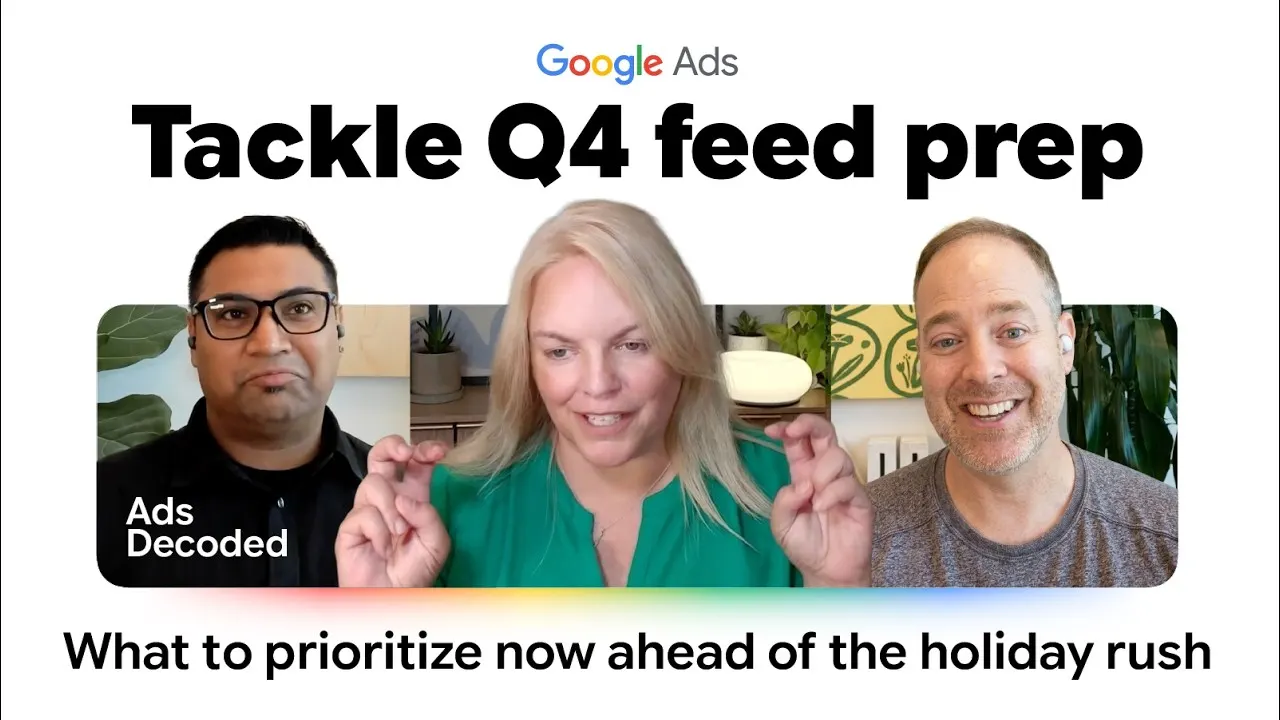
Since October 2024, Product Studio in Merchant Center also turns product images into videos, for US merchants only (checked November 2026). In the video below, the Google Ads team covers the video link attribute at 13:14.
Product video specs for Amazon and Shopify
Amazon and Shopify set their own file rules. On Amazon, shoppable videos on the product page are MOV or MP4 files, up to 1080p and 5 GB. On Shopify, a video file can be MOV, MP4 or WEBM, up to 1 GB and 10 minutes long. Make one master file, then export a version for each channel.
On Amazon, the product needs fewer than six images for a shoppable video to show in the main media block of the product page. You need a Professional selling account, at least three months of selling history and live listings. Brand Registry is not required. Videos typically appear within three days (US page, checked November 2026).
On Shopify, the file limits do not apply to videos you embed from YouTube or Vimeo. Videos and 3D models share one upload count, and the count depends on your plan.
| Rule | Google Merchant Center | Amazon (US) | Shopify |
|---|---|---|---|
| File types | MP4, MOV and six other types | MOV or MP4 | MOV, MP4 or WEBM |
| Largest file | 500 MB | 5 GB | 1 GB |
| Resolution | 720p or more | Up to 1080p | Up to UHD, 100 to 4,096 px per side |
| Videos per product | Up to 10 | Up to 4 shoppable videos | Shared upload count per plan |
| Rule to know | A changed video needs a new URL | Fewer than six images for the main media block | Limits do not apply to YouTube or Vimeo embeds |
Product video placement on the product page
Put the product video where the buyer decides: in the image gallery, right after the main photo. The video answers the next question, before the buyer reads the details. On Amazon, keep fewer than six images, so the shoppable video stays in the main media block.
Product page layout
Updated November 2026levercrew
The video sits second in the gallery, above the screen edge
A product page on a phone
Screen edge
On Amazon, keep fewer than six images, or the video leaves the main media block.
Make the clip clear without sound. Google lists sound as optional for Merchant Center videos. Put any words that matter on screen, in large type, away from the edges.
A 1:1 spin fits a square gallery and Merchant Center. A 9:16 version fits phone feeds. Make one export for each frame, and never stretch one frame into another.
AI labels for product videos in the EU
Since 2 August 2026, Article 50 of the EU AI Act applies. The AI tool must mark its video output as AI-made in a machine-readable way. You, as the store, must disclose a deep fake. A realistic AI video of a product in a real-looking scene can meet that definition, so treat realistic in-use clips with care.
The AI Act defines a deep fake as AI image, audio or video that resembles existing persons, objects, places, entities or events and would falsely appear authentic. AI tools on the market before 2 August 2026 have until 2 December 2026 to add the marking.
Google Merchant Center asks for IPTC DigitalSourceType TrainedAlgorithmicMedia metadata on AI-generated images in the image, additional image and lifestyle image attributes. Its page names images, not videos (checked November 2026). We keep that metadata in every export anyway. This page is not legal advice, so check your own case with your lawyer.
How LeverCrew makes AI product videos
At LeverCrew, we plan each product video before anything is made: one idea per video, the feeling of each beat and the fixed product details. Each clip starts from a real photo or a still we check first, and only then becomes video. A person approves the script, the first cut and the final file. Nothing goes live without your approval.
Before delivery, every file passes scripted checks: an H.264 file that QuickTime opens, 1080 px or more, fast start for web playback, loudness near -14 LUFS, a 15 ms fade on audio edges and no noise before the first word. A fresh AI agent then reads the rendered video at one frame per second, without the script, and says what it shows.
We made 20 LinkedIn videos for RNJ Transport, a road freight company in Lithuania, 10 in English and 10 in Lithuanian, with the same checks. Product videos for online stores are part of our AI content service. To run the method with your own team, start with the playbook from product photos to ad assets. The other formats are in our AI video examples.
Common questions
What is an AI product video?
It is a short video of one product, made from your real photos with an AI image-to-video model instead of a studio shoot. Common types are a spin, a close-up, the product in use, a size comparison and a short demo.
Can AI make a product video from one photo?
Yes, for a close-up or a short in-use clip. For a spin, give the model photos of every side, because it invents the sides it cannot see. Check every frame against the real product, and delete any clip where the shape, colour or label changes.
How long should a product video be?
Long enough to answer one buyer question. Google Merchant Center takes videos from 6 to 240 seconds. A spin or a close-up needs a few seconds. If a video tries to answer two questions, make two videos.
Do I have to label AI product videos in the EU?
Some of them. Since 2 August 2026, AI Act Article 50 asks you to disclose deep fakes: AI video that resembles real objects or places and would falsely appear authentic. A realistic in-use scene can count. The AI tool must also mark its output. Check your own case with your lawyer.
Which aspect ratio should a product video use?
Use 1:1 for square product galleries and 9:16 for phone feeds. Google Merchant Center takes 9:16, 16:9 and 1:1 videos without black bars. Make a separate export for each frame instead of stretching one video into another shape.
Can I add product videos to Google Shopping?
Yes. Add up to 10 video URLs per product in the video link [video_link] attribute in Merchant Center. Videos sent this way can serve since 30 June 2026, in free listings and Google Ads campaigns. Use a YouTube URL or a direct link to the video file.
Will AI change how my product looks?
It can. Models sometimes change label text, colours or small parts between frames. Write the fixed details in the brief, check the clip frame by frame and delete any take that changes the product.
Sources and checks (9)
- Google Merchant Center Help: video link [video_link] attribute
- Google Merchant Center Help: product data specification update 2026 (checked November 2026)
- Google Merchant Center Help: video generation in Product Studio
- Google Merchant Center Help: AI-generated content
- Sell on Amazon: shoppable product videos, 12 May 2025 (checked November 2026)
- Shopify Help Center: uploading and managing files, video requirements (checked November 2026)
- European Commission, AI Act Service Desk: Article 50, transparency obligations
- European Commission, AI Act Service Desk: Article 3, definitions (deep fake)
- European Commission, AI Act Service Desk: implementation timeline (checked November 2026)