An AI explainer video shows in 30 to 120 seconds what your product or service does, who it is for and what to do next. AI tools write the first script, make the voice-over, the animated drawings or the presenter, and render the video. A person still chooses the one message, checks every claim and approves the script, the first cut and the final file.
Key takeaways
- Script: four beats in this order: the problem, how it works, the proof and the next step. One message per video.
- Length: 60 to 90 seconds on a homepage, 30 to 60 in a sales email, one task per onboarding video.
- Words: at about 150 words a minute, a 60-second explainer holds about 150 words of voice-over.
- Style: screen recording for software, an animated drawing for a service or a process, an AI presenter when a face helps.
- Checks: captions, 1080 px or more, loudness near -14 LUFS, and a person approves before the video goes live.
- Bottom line: write the one message and its proof first, pick the style by what the viewer must see, then let AI make the versions.
AI explainer videos for business
An AI explainer video is a short video that explains one product, one service or one process to a buyer or a customer. AI tools make most of the parts: the script draft, the voice-over, the drawings, the presenter and the render. Your team gives the facts, the message and the final approval.
Explainers work where a buyer has the same question again and again. Typical places are the homepage, a product page, a sales email after a first call, the first login of a new customer and an answer in the help centre. If your sales team explains the same thing on every call, that explanation is a good first video.
This page covers explainers for things you sell. All of them are on the AI video examples page, sorted by format and by industry.
Explainer video length and word count
An explainer video should be as long as its one job needs: 60 to 90 seconds on a homepage, 30 to 60 seconds in a sales email, and 60 to 120 seconds for each task in customer onboarding. Fix the length first, then write the script to fit, because the length sets how many words the voice-over can hold.
HeyGen’s explainer page advises about 150 words of script per minute. At that pace, a 60-second video holds about 150 words, which is about 8 to 10 short sentences.
The table shows the lengths we work with for each use, and the word budget each length gives at 150 words a minute. These lengths are our working rules, not a platform limit.
| Use | Length | Voice-over words | What it must do |
|---|---|---|---|
| Homepage | 60-90 seconds | 150-225 | Say what you sell, for whom, and the next step |
| Sales email or LinkedIn message | 30-60 seconds | 75-150 | Answer one question a buyer asked |
| Customer onboarding | 60-120 seconds per task | 150-300 | Show one task from start to result |
| Help centre answer | 30-90 seconds | 75-225 | Answer one support question |
| YouTube or company presentation | 90-180 seconds | 225-450 | Explain the full offer with its proof |
Explainer video script: problem, how it works, proof, next step
A good explainer script has four beats in a fixed order: the problem the viewer has, how your product or service solves it, proof that it works, and one next step. Each beat gets one idea. In a 60-second video, about half of the time goes to how it works, because that is the part the viewer came for.
Explainer script
Updated November 2026levercrew
Half of a 60-second explainer shows how it works
Our time split for the four beats of a 60-second explainer video.
Seconds of a 60-second video
- Problem, 10 s 17%
- How it works, 30 s 50%
- Proof, 12 s 20%
- Next step, 8 s 13%
Our working rule. Longer videos keep the same order and give the extra time to how it works.
The problem beat names the viewer’s situation in their own words, in one or two sentences. Take the words from sales calls, support tickets or reviews, not from your brochure.
The how-it-works beat shows the product or the service doing its job, step by step. Show it on screen while the voice says it. The proof beat is one real fact a viewer can check: a result with its date, a screen of the real product, a named customer who agreed to it. The next step is one action, such as booking a call or starting a trial.
Explainer video styles by product type
Pick the style by what the viewer must see. Software is best shown as a screen recording of the real product. A service or a process is best shown as an animated drawing, because there is no screen to record. An AI presenter helps when the video needs a face, such as a welcome from the team.
Explainer styles
Updated November 2026levercrew
Pick the style by what viewers must see and how often it changes
Explainer styles
- Animated drawing in code
- AI presenter
- Screen recording
- AI video model scenes
- Filmed with a camera
Our view from the videos we make. A changed product screen means a new recording; a changed line of text means a new render.
The second question is how often the subject changes. A screen recording must be recorded again when the product screen changes. An animated drawing made in code changes with a line of text and a new render. In an AI presenter tool, HeyGen’s page says you edit the script and make the video again, instead of filming it again.
Most explainers mix styles: a drawn problem beat, a screen recording for how it works and a short presenter line at the end. For drawn styles in more depth, see our page on AI motion graphics.
AI voice-over, captions and languages
AI voice-over reads your script in a chosen voice, so you can change one sentence without booking a speaker again. Add captions to every explainer, because many people watch with the sound off and because accessibility rules ask for them. Make each language as its own version from a checked script, not as a machine copy.
Captions are part of the WCAG accessibility rules. Success criterion 1.2.2 asks for captions for all prerecorded audio in synchronized media, at Level A, the base level. Write the captions from the approved script, then check them against the final voice, so the names of your product and your features are spelled right.
Tools such as Synthesia start a video from a prompt, a script, a PDF, a PowerPoint file or a web page, and you set the length. For each new language, have a native speaker read the script before the voice is made.
A cloned voice of a real person needs that person’s written consent. If the video shows a realistic AI person or voice that could pass as real, AI Act Article 50(4) asks you to disclose that it is AI-made. This is not legal advice, so check your own case with your lawyer.
How to make an AI explainer video
Make an AI explainer video in five steps: write the one message and plan each beat, write the script to the word budget, make the visuals and the voice and render, run the file checks, and get a person’s approval at three points.
Our explainer process
Updated November 2026levercrew
Every explainer passes scripted checks and three human approvals
From message to final file
- One message And the feeling of each beat
- Script Cut to the word budget
- Make and render Visuals, voice, captions
- Scripted checks File, sound, 1 frame a second
- Three approvals Script, first cut, final file
Step 1 is the plan. We write one idea per video and the feeling of each beat before anything is made: what the viewer should feel at the problem, at the proof and at the next step. Step 2 is the script, cut to the word budget from the length table, with every claim checked against a source.
Step 3 is the visuals and the voice. A person in frame starts as a still image in bright light, looking at the camera, and only then becomes video. Drawings are HTML and CSS, rendered to video. Step 4 is the checks. A script checks the file: an H.264 file that QuickTime opens, 1080 px or more, fast start, loudness near -14 LUFS, a 15 ms fade on the audio edges and no noise before the first word.
Then a fresh AI agent that never saw the script reads the rendered video at 1 frame per second with the transcript, and says what the video shows. If that does not match the message, we fix the video. Step 5: a person approves the script, the first cut and the final file. For the editing side, our guide to editing video with Claude shows how an AI agent cuts and renders.
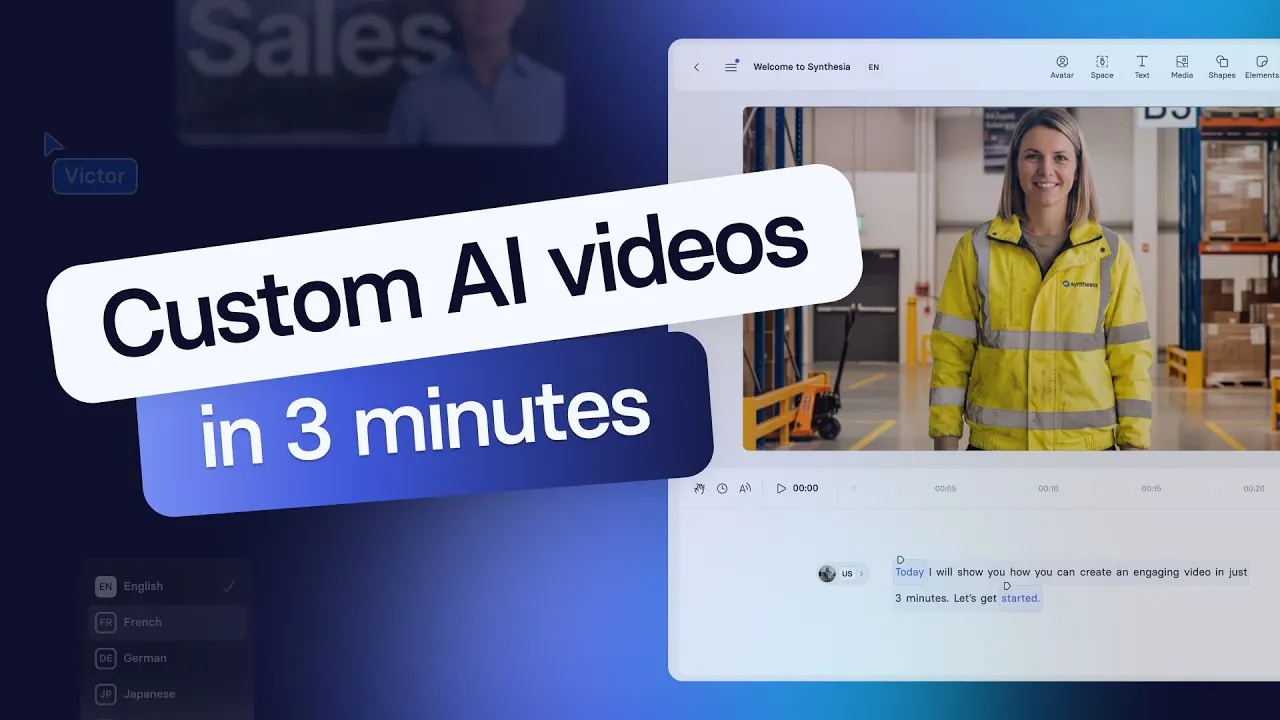
In the video below, Synthesia shows its editor from a written idea to a script, a presenter, a screen recording, a translation and an export, in about three minutes.
Explainer videos on your website and YouTube
Put the explainer where the question is asked: on the homepage or the product page, and on YouTube for search. For Google to show a video in its video results, Google asks for a dedicated watch page for each video, where the video is the main thing on the page. A homepage is not a watch page.
Google’s video guide says the watch page must be indexed, the video must be embedded on it and not hidden behind other elements, and the video needs a valid thumbnail at a stable URL. Google reads the video facts from structured data, video sitemaps or Open Graph tags. Google can also show key moments, which work like chapters in a book.
Keep the homepage explainer for visitors, and give the same video its own watch page if you want it in video results. On YouTube, 16:9 is the standard frame on a computer, and YouTube’s help page lists 1920 x 1080 for 1080p.
AI explainer videos at LeverCrew
At LeverCrew, we make explainer videos with code that renders video, AI voice and AI images, and one of us reviews every piece before the client approves it. Our first test is CreatorFlow, the SaaS company one of our founders runs. We made explainer videos for its product pages with HyperFrames.
HyperFrames is an open-source tool from HeyGen that turns HTML pages into video. For CreatorFlow, a SaaS one of our founders runs, we made 8 product page videos with it.
For RNJ Transport, a road freight company in Lithuania, we made YouTube promo films of 56 and 60 seconds, in English and in Lithuanian. If you want explainers for your own product or service, our AI content for ads and sales service makes them from your facts and your screens.
Common questions
What is an AI explainer video?
An AI explainer video is a short video, usually 30 to 120 seconds, that explains one product, service or process. AI tools draft the script, make the voice-over, the drawings or the presenter, and render the video. A person chooses the message, checks the claims and approves the final file.
How long should an explainer video be?
As long as its one job needs. We work with 60 to 90 seconds for a homepage, 30 to 60 seconds for a sales email, and 60 to 120 seconds for each task in customer onboarding. A company presentation on YouTube can run 90 to 180 seconds.
How many words is a 60-second explainer script?
About 150 words. HeyGen advises about 150 words of script per minute, so a 60-second video holds 8 to 10 short sentences. Write to that budget before you make anything, because a longer script makes the voice rush or the video grow.
Is an AI voice good enough for an explainer video?
For most explainers, yes, if a native speaker checks the script first and you listen to the whole file before it goes live. An AI voice lets you change one sentence without a new recording. A cloned voice of a real person needs that person’s written consent.
Do I have to label an AI explainer video?
If it shows a realistic AI person or voice that could pass as real, AI Act Article 50(4) asks you to disclose that it is AI-made. A drawn animation of your own product is a different case. This is not legal advice, so check your own video with your lawyer.
Can LeverCrew make explainer videos for us?
Yes. We make them from your facts, your screens and your product photos, with the checks on this page and your approval at three points. Book the free 30-minute discovery call and bring the question your sales team answers most often.
Sources and checks (7)
- HeyGen: AI video explainer, script length and editing (checked November 2026)
- Synthesia: explainer video maker, inputs and editor steps (checked November 2026)
- Google Search Central: video SEO best practices
- YouTube Help: video resolution and aspect ratios (checked November 2026)
- W3C: Understanding WCAG 2.2, success criterion 1.2.2 Captions (Prerecorded)
- European Commission, AI Act Service Desk: Article 50, transparency obligations
- HeyGen: HyperFrames on GitHub, open source under Apache 2.0