AI motion graphics are short videos where text, numbers, shapes and logos move: animated charts, kinetic type, logo reveals and LinkedIn animations. You make them in three ways. Code that renders video suits exact numbers and series. AI video models make new footage from a prompt or an image. Template editors animate one design fast. Most business teams combine the first two.
Key takeaways
- What moves: text, numbers, shapes, icons and logos, usually from files your company already has.
- Three ways: code that renders video, AI video models, and template editors with animation presets.
- Clip length: Veo 3.1 makes clips of 4, 6 or 8 seconds, so a 20-second video needs several clips or code (checked November 2026).
- Exact text: numbers, names and logos come from code or an editor, where a person can check every character.
- Web motion: moving content that starts by itself and runs over 5 seconds needs a way to pause it (WCAG 2.2.2).
- Bottom line: make one animated chart or logo reveal from files you already publish, and check every number before it goes live.
AI motion graphics for business videos
Motion graphics are videos where designed elements move: text, numbers, charts, icons, shapes and logos. AI motion graphics are the same videos made with AI tools, from a prompt, a still design or code that an AI writes. A business uses them for animated charts, kinetic type, logo reveals, title cards and short LinkedIn animations.
Most of these videos start from files your company already has: a spreadsheet, the logo file, the brand colours and a few sentences of text. That is why motion graphics suit companies without a film crew. No camera, no studio and no actor are needed, and one design can become ten versions in two languages.
Motion graphics are one of seven formats in our guide to AI videos for business. When the video must explain a product step by step with a voice-over, see AI explainer videos instead. The table lists the five types we see most often in business work.
| Type | What moves | Where it plays | Made from |
|---|---|---|---|
| Animated chart | Bars, lines and figures that build one by one | LinkedIn, reports, sales decks | Your data file |
| Kinetic type | Words that appear in time with music or a voice | Social posts, video openings, ads | A short script |
| Logo reveal | The logo draws itself or comes together | Video intros and end cards | The approved SVG logo |
| Title card or lower third | Names, job titles and section titles | Interviews, webinars, demos | Names and titles in each language |
| LinkedIn animation | A short story in text, shapes and icons | LinkedIn feed and video ads | One message and the brand files |
Three ways to make AI motion graphics
There are three ways to make AI motion graphics. An AI writes code that renders the video, an AI video model makes new footage from a prompt or an image, or a template editor animates a design with presets. Code gives exact text and numbers. Models give new scenes. Templates give speed for one design.
Method by job
Updated November 2026levercrew
Code gives exact text, models give new footage
Where each way of making motion graphics sits, in our experience.
- AI video model
- Model plus code text
- Code that renders video
- Template editor
Model plus code text: the model makes the scene, and code writes every number, name and logo on top.
Code that renders video. An AI coding tool such as Claude Code writes the animation with web tools such as GSAP, then a framework such as Remotion or HyperFrames turns it into an MP4 file. Every word and number stays editable, so a series of ten videos comes from one file. Our guide to Claude animation covers this route step by step.
AI video models. A model makes a new clip from a text prompt or from a still image. Adobe Firefly’s image to video, for example, animates an existing logo, title card or flat design, and you can export the result into After Effects or Premiere to finish the timing and sound. Google’s Veo 3.1 on Vertex AI makes clips of 4, 6 or 8 seconds at 24 frames per second, in 9:16 or 16:9 (checked November 2026).
Template editors. Tools such as Adobe Express animate the objects in a design. You choose how each object comes in, loops and goes out, then change its duration, personality, speed or intensity. This suits a single social post from a template your team already uses.
AI video clips with code-made text
The mix most business teams need is an AI video clip for the scene and code for the text. A model makes the moving background or product shot. Code then writes every number, name and logo on top, renders the end card and joins the clips. That way, a person can check every character.
Clip length against video length
Updated November 2026levercrew
One AI video clip covers less than half of a LinkedIn video
Seconds
0 s LinkedIn advice, 15 to 30 s 30 s
RNJ videos: our 20 LinkedIn videos for RNJ Transport ran 18 to 26 seconds, made in code.
Length is the first reason. A video model makes one short clip at a time: 4, 6 or 8 seconds for Veo 3.1. LinkedIn recommends videos of 15 to 30 seconds. A 20-second LinkedIn video therefore needs at least three model clips, or one composition in code that runs the full length.
Exact text is the second reason. We never let a video model write a number, a name or a logo. Those come from code or from an editor, where the text is real text that a person checks against the source file. If a figure changes next month, you change one line and render again.
Frame size is the third. Veo 3.1 makes clips in 9:16 or 16:9. LinkedIn recommends 4:5 for vertical video, up to 1080 x 1350 pixels. Plan the crop before you make the clips, so the main subject stays inside the 4:5 frame.
Animated charts and kinetic type
Animated charts and kinetic type are the two motion graphics a business makes most often. An animated chart builds your own numbers on screen, one bar or line at a time. Kinetic type shows a short script as moving words. Both work because the viewer reads one idea at a time, in the order you choose.
For a chart, start from the data file and show one number per scene. Name the unit and the period on screen, such as “orders in 2026, by month”, and put the source in small text at the end. Keep the rest of the screen still, so the eye follows the chart.
For kinetic type, write the script first and count the words. A short LinkedIn video has room for about one sentence per scene. Each line must stay on screen long enough to read on a phone, with the sound off.
- One number or one sentence per scene.
- The unit, the period and the source on screen.
- Brand fonts and colours from your brand rules.
- Text that reads on a phone with the sound off.
Logo reveals and website motion
A logo reveal is a short animation where your logo draws itself, comes together or appears with a sound. Make it from the approved SVG logo file and the exact brand colours, never from a picture of the logo. On a website, motion follows the W3C accessibility guidelines, WCAG 2.2.
Use a logo reveal at the start or the end of a video, not in every scene. Two or three seconds is enough. If an AI video model animates the logo from a still image, compare the last frame with the real logo file before you use it.
Website motion has two rules from WCAG 2.2. Under success criterion 2.2.2, content that moves, blinks or scrolls, starts by itself, lasts more than five seconds and plays next to other content needs a way to pause, stop or hide it. Under 2.3.1, nothing on the page flashes more than three times in one second, unless the flash is below the general and red flash thresholds.
A looping animation in a website header meets both rules with a pause button and no fast flashes. A motion graphic that plays only when the visitor presses play is not affected by the five-second rule.
How to make an AI motion graphic, step by step
Make an AI motion graphic in five steps. Write one idea and the feeling of each scene. Plan the scenes with their text and seconds. Make it with the method that fits the job. Run the file checks. Then a person approves the script, the first cut and the final file.
Our process
Updated November 2026levercrew
Every motion graphic passes a plan, checks and a person
One video, from idea to file
- One idea And the feeling of each scene
- Scene plan Text and seconds per scene
- Make it Code, model or template
- File checks Format, size, sound, 1 fps review
- Approval A person signs off
One idea. Write the one sentence the viewer should keep, and the feeling of each scene: surprise at the number, calm at the answer. A plan with five scenes is faster to fix than a finished video.
Make. Choose the method from the job: code for numbers and series, a video model for a scene you never filmed, a template for one quick post. Attach the real files, such as the data, the SVG logo, the colours and the font names.
Check. Before delivery we check that the file is H.264 and opens in QuickTime, that it is 1080 pixels or more, that it starts fast on the web, and that the sound sits near -14 LUFS with a 15 ms fade on each audio edge. A fresh AI agent then watches the render at one frame per second with the transcript and says what it shows.
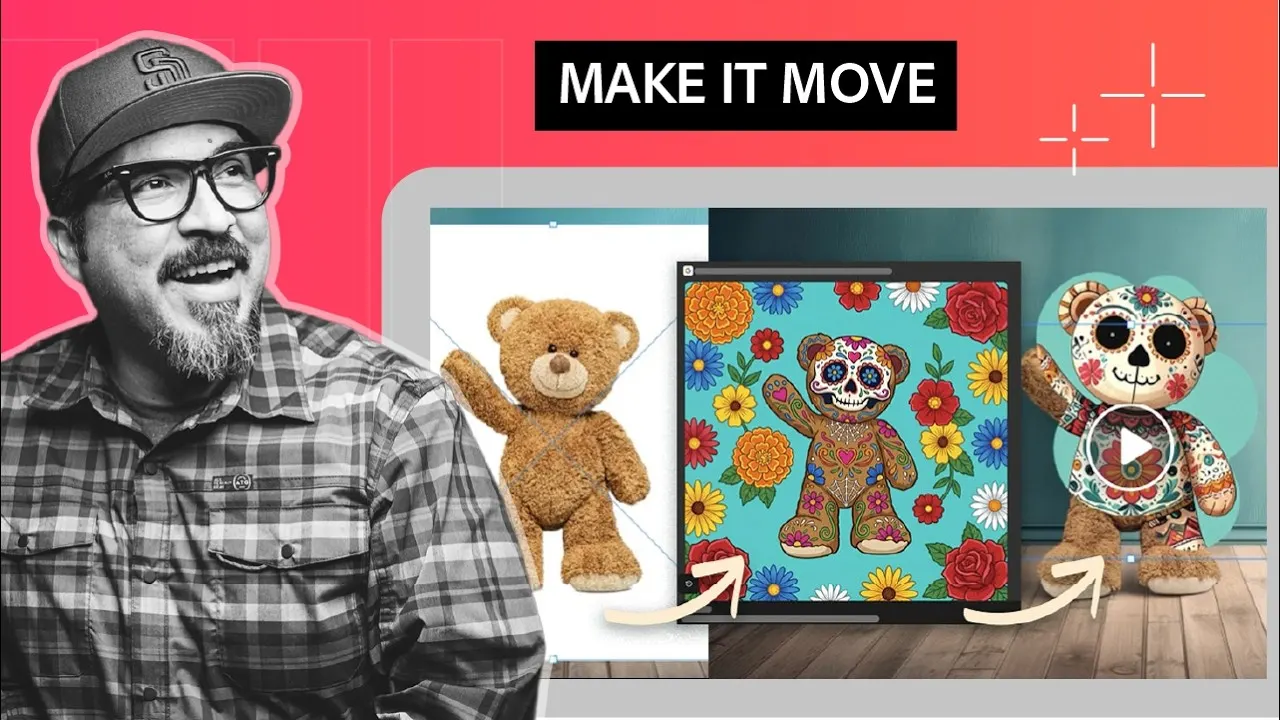
In the video below, Adobe Firefly takes a still design from Photoshop, tries visual directions in Firefly and adds simple motion for a social post.
Motion graphics at LeverCrew: RNJ Transport and CreatorFlow
At LeverCrew, we make motion graphics mostly in code, with AI writing the code and a person checking every frame. For RNJ Transport, a road freight forwarder in Klaipėda, Lithuania, we made 20 LinkedIn videos. For CreatorFlow, the SaaS company one of our founders runs, we made 8 product page videos with HyperFrames.
The RNJ videos are 10 in English and 10 in Lithuanian, at 1080 x 1350 pixels and 18 to 26 seconds each. We made the animations with Claude Code, GSAP and Playwright, a tool that drives a browser from a script. The size is the largest 4:5 size LinkedIn accepts, and the length sits inside its advice of 15 to 30 seconds. Each video came with its post text in both languages, as the RNJ Transport case study lists. We have no recorded results for these videos, so we claim none.
This is how we make AI content for ads and sales: we define the buyer and the angle first, then make the variants to test.
Common questions
What are AI motion graphics?
AI motion graphics are short videos where text, numbers, shapes and logos move, made with AI tools. The AI writes the animation as code, makes footage with a video model, or animates a design in a template editor. Businesses use them for animated charts, kinetic type, logo reveals and LinkedIn animations.
Do I need After Effects to make motion graphics with AI?
No. Code that renders video, AI video models and template editors all export a video file without After Effects. Adobe’s own route lets you export Firefly clips into After Effects or Premiere when you want to finish the timing and sound there.
Can AI motion graphics use my brand colours, fonts and logo?
Yes, if you give the tool the real files: the SVG logo, the colours as hex codes and the font names. In code, these become rules that every video follows. With a video model, compare the logo in the last frame with the real file, and add exact text in code or an editor.
Which is better for motion graphics, an AI video model or code?
Each does a different job. Code is better for exact numbers, names, logos, two languages and a series. A video model is better for a scene you never filmed. Many business videos use both: the model makes the scene and code writes the text and the end card on top.
How long should a motion graphic be for LinkedIn?
LinkedIn recommends videos of 15 to 30 seconds and accepts 3 seconds to 30 minutes. For vertical video it recommends 4:5, up to 1080 x 1350 pixels, in MP4 under 30 frames per second, with captions as SRT files. Our RNJ Transport videos ran 18 to 26 seconds.
Do AI motion graphics need an AI label in the EU?
Only some of them. The AI Act defines a deep fake as AI image, audio or video that resembles real persons, objects, places, entities or events and could falsely seem authentic. A chart or kinetic type from your own numbers usually is not one. A realistic AI scene can be, so check those with your lawyer.
Sources and checks (7)
- Google Cloud, Vertex AI: Veo 3.1 model page, durations, frame rate and aspect ratios (checked November 2026)
- Adobe Firefly: motion graphics, image to video and export to After Effects or Premiere (checked November 2026)
- Adobe Express Learn: add animations (In, Looping, Out; duration, personality, speed, intensity)
- W3C, Understanding WCAG 2.2: success criterion 2.2.2, Pause, Stop, Hide
- W3C, Understanding WCAG 2.2: success criterion 2.3.1, Three Flashes or Below Threshold
- LinkedIn Help: video ad specs, sizes, length, frame rate and captions (checked November 2026)
- European Commission, AI Act Service Desk: Article 3, definitions (deep fake)